


2026-08-31 17:40:26
From checking me in for a flight while I was drunk to chasing government refunds, planning cycle routes, and registering me for Council Tax. Here’s what I actually use an AI agent for outside of coding.
Saturday I'm in an Izakaya in Tokyo. I brought 1 Suntory Highball and magically within 10 seconds it is gone. The next day, I'm meant to be flying back to the UK. I remember:
I still need to check in... fuuu....
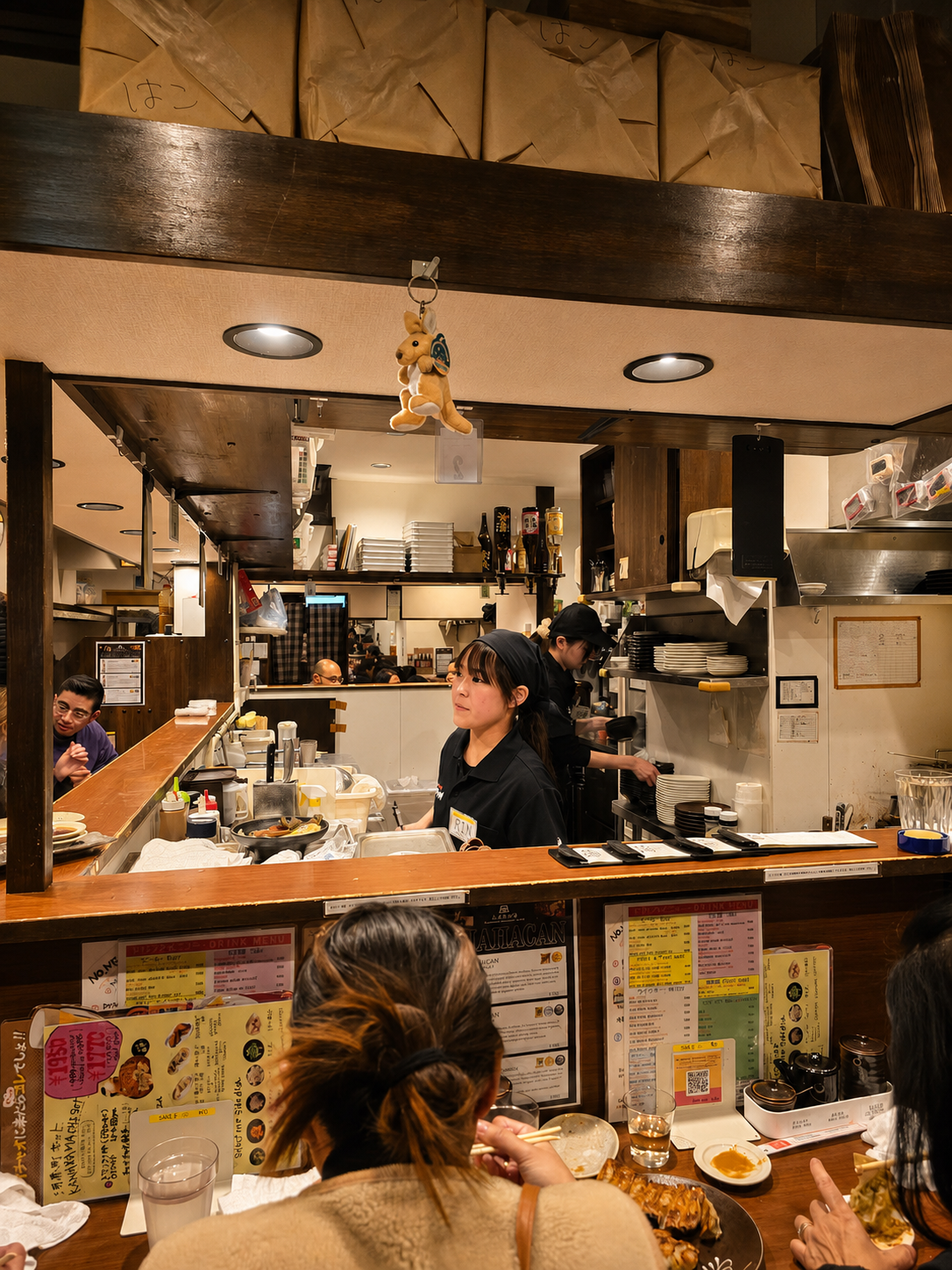
So I do what any normal person does, I pull out my phone and I slur into Wispr Flow something like this:
Check in to the flight for me and send me a map with a route on how I'm going to get there
2 hours later, the AI comes back to me.
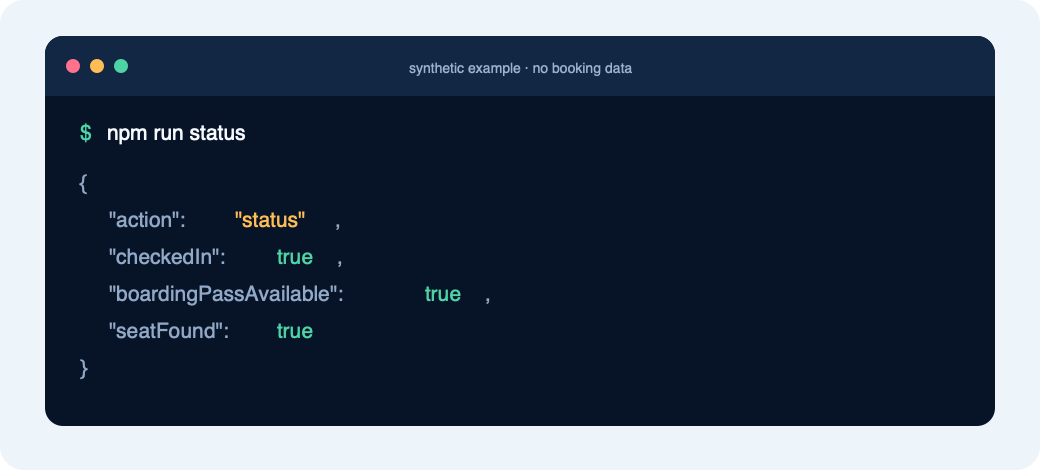
It has checked into my flight, creating a GitHub repo to make it easier to check in again in the future (and the README was written exactly how I like my READMEs to be written)
It read my emails and realised I came to Japan with 2 suitcases, so she booked my second suitcase.
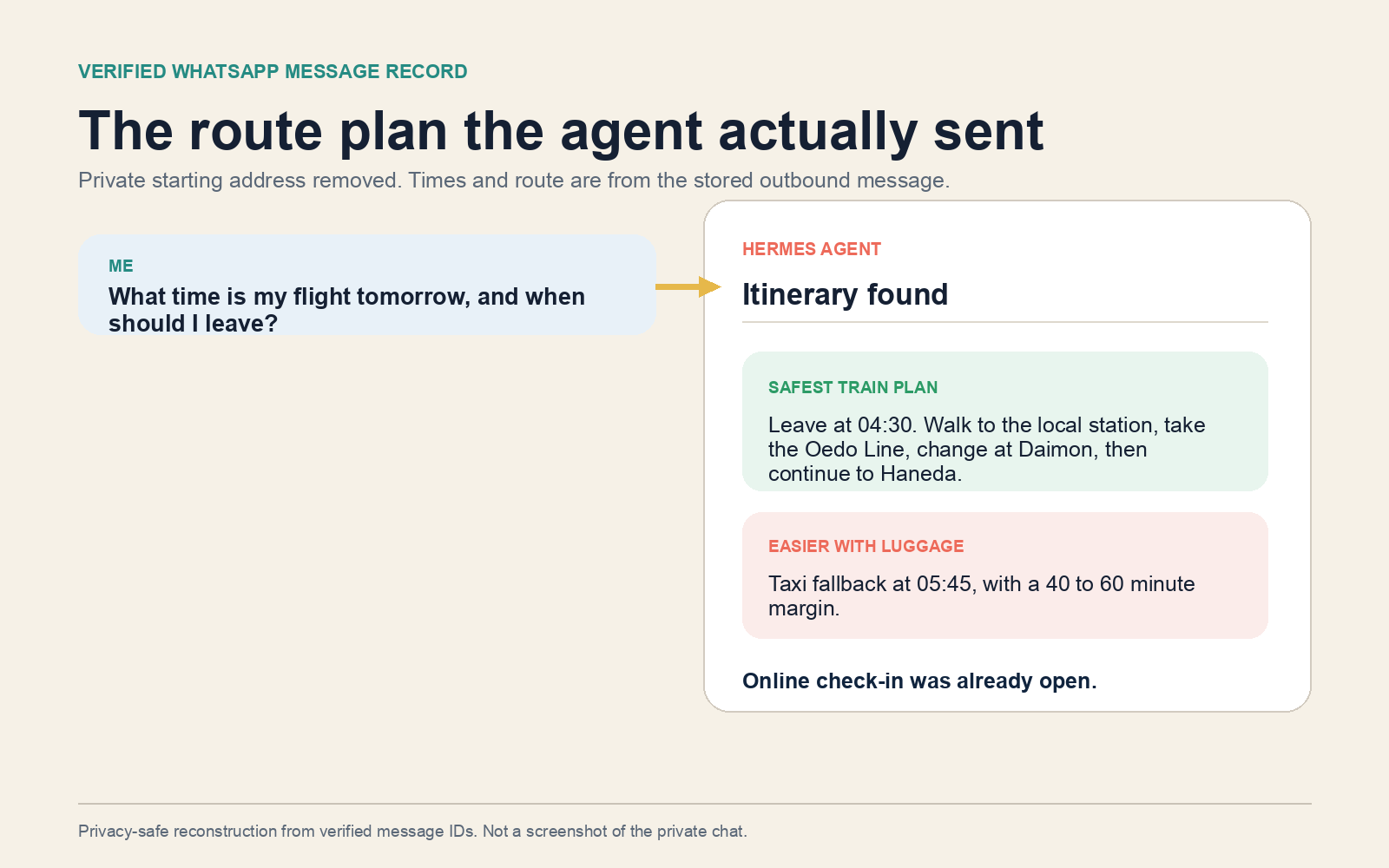
She recalls where I am staying and creates 3 routes for me:
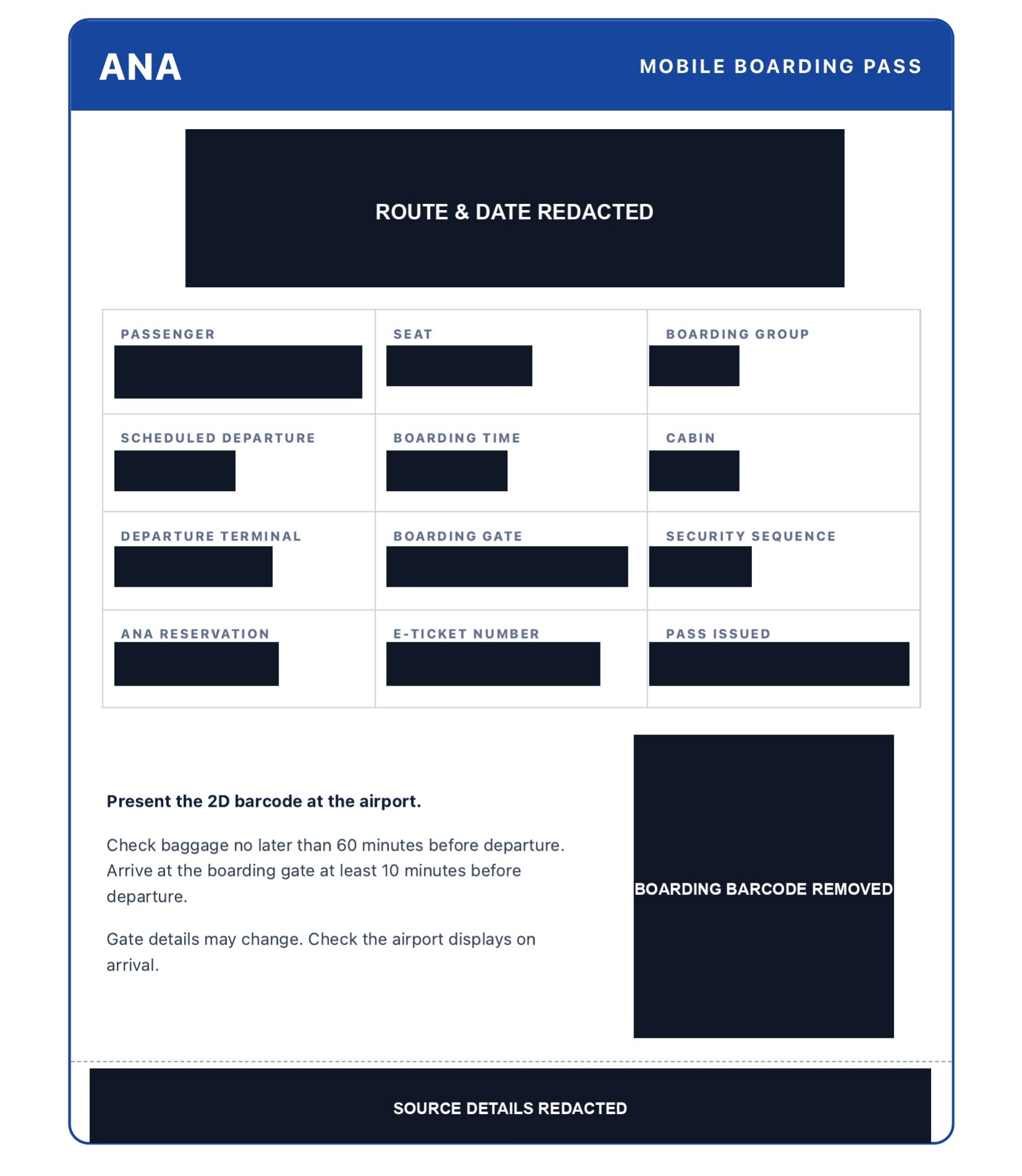
She then created a clean, high quality boarding pass image with my QR code and all relevant data, recreating the QR code to be higher quality since the one in the email was low quality.
She knows I like to keep people informed of my flights, so she activates an hourly cron that messages my friends information about my flight too.
So within 2 hours she had:
You would think my agent is perfect and that this is too good to be true, well reader it is too good to be true. My agent forgot that I am vegan and I was forced to eat bread for my entire 13 hour flight 😂
From 17 to 31 August 2026, my AI agent recorded everything I asked her to do. I intended to stop at two weeks. Then Lime emailed me a parking warning before I finished editing.
This post was inspired by my former colleague Sophie Koonin's Everything I googled in a week as a professional software engineer and her senior engineer follow-up.
This post is not written with AI, any AI parts will be pointed out. It is just images / images of AI generated frontends.
Probably the number 1 use of my agent is all my admin related questions.
They sent me a letter saying they owe me a refund.
I login to the website after 2 hours of trying and it says no refund.
🤷
I'm too lazy to deal with this, so I ask my AI agent to handle it.
I told her to just handle it for me until they pay me back.
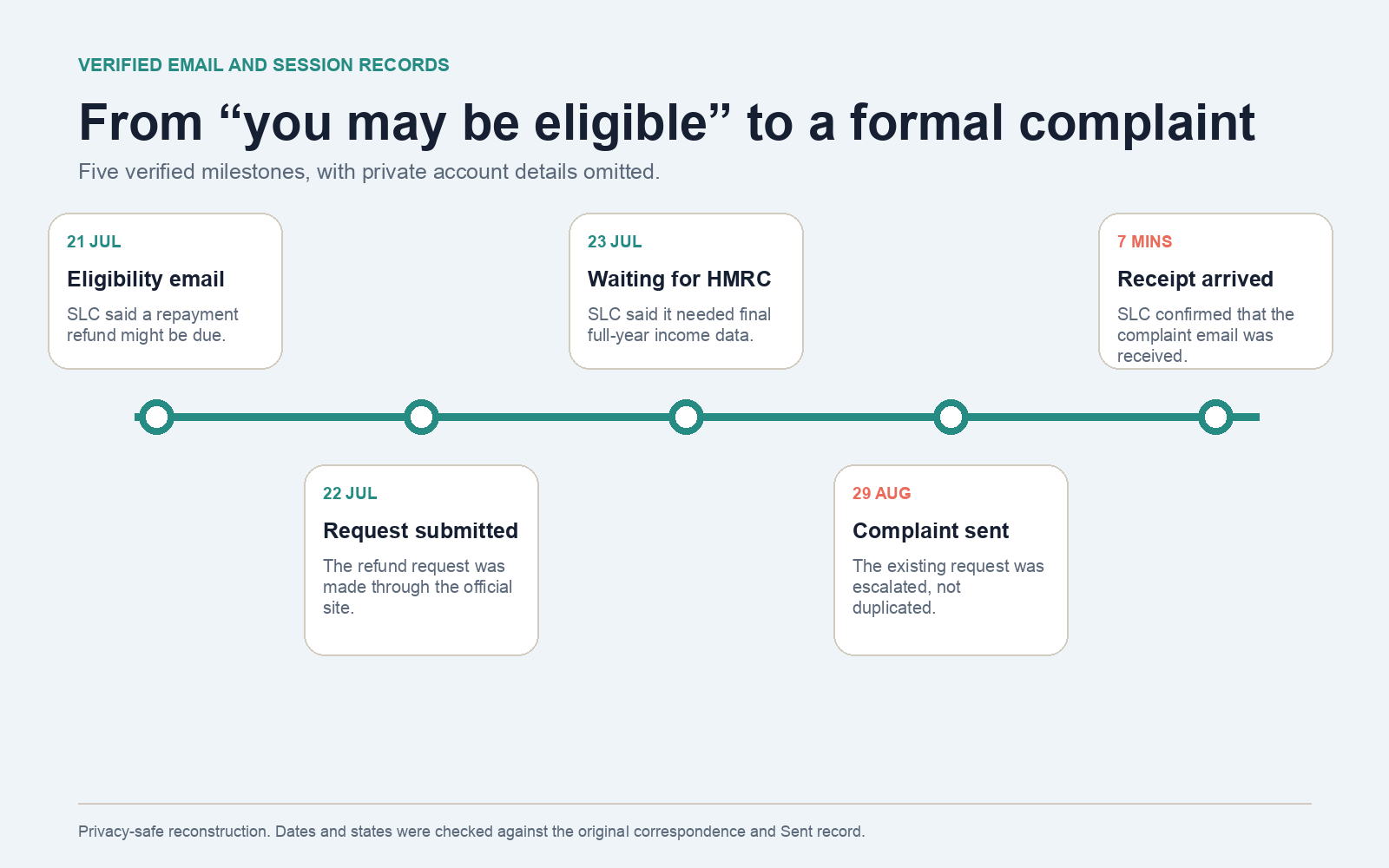
Like typical SFE fashion, I expect them to reply within the next 365 days 🫠
In Tokyo I parked a lime bike like this:
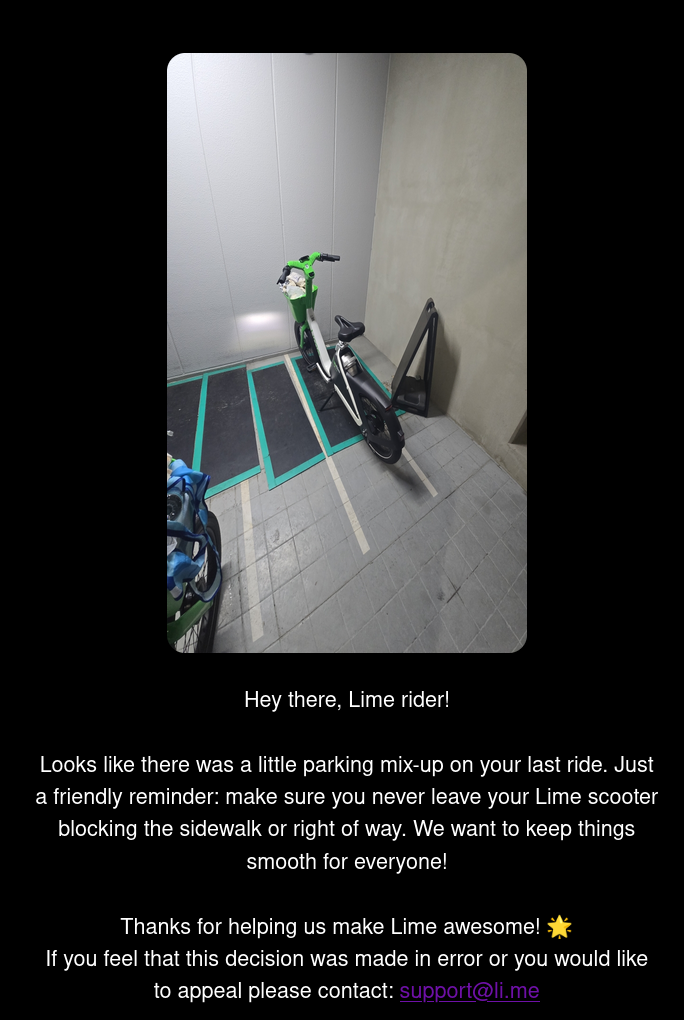
The app told me it was in a parking spot and to me it looks like it's parked and not at all "blocking the sidewalk or right of way"
I told my AI agent to handle this for me. Complain, and then monitor the complaint.
Normally I'd be too lazy to do that, thankfully my agent does not experience laziness.

Jins in Tokyo is known for having great eyewear, great service at low costs.
You can get a free eye test, buy glasses, and pick up prescription glasses within 2 hours. Maybe you shouldn't have gone to Specsavers and instead gone to Tokyo.
They gave me my prescription but I didn't fancy buying any glasses.
I asked AI to just save it to Paperless for me so I don't forget.
Read the email from the letting company about everything I need to sign up for. Sign up for it all, making accounts, and ensuring it is cheap. Here is the account number and sort code for a virtual account. Send me my account details encrypted.
My AI can spawn a FireFox browser:
And then can use Playwright to interact with websites.
The AI then (with my approvals):
Like most people airports are an absolute nightmare for me.
Let's recap the intro quickly:
But then some other things.
the game pad has a battery
thank god I asked this. Again, no Wi-Fi portal. But one of the links worked and I got access to the plane Wi-Fi!!
Found the live gate info and boarding information, let me know I am fine to stay longer and enjoy more time with friends. I am so grateful I got to spend an extra 30 minutes with my favourite people in the world.
The AI agent forgot to mention I am Vegan in the checkin, so I asked it and told it to remember. Then like a normal human being I asked the flight attendant and thankfully there was a spare meal, but all the other meals were just going to be bread for me haha.
Anyone who knows me knows I like to run my finances like the military.
Multiple dashboards, spreadsheets, YNAB, Actual Budget, Hledger etc. I have used it all.
But lately I have been slacking.
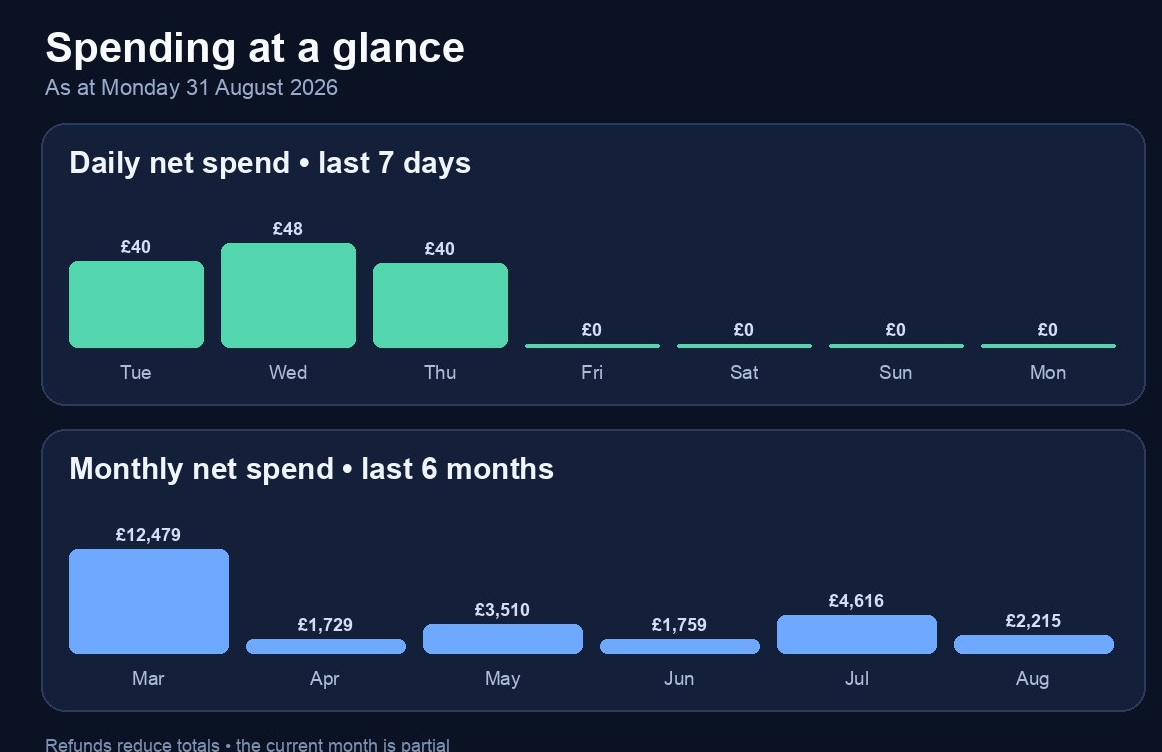
Had a heart attack because how am I not spending money right now, but back in March I spent £12k??
So I asked my AI agent
Turned out my Monzo API connector broke, so it fixed that for me.
Then I have more than just Monzo. It counts transfers as expenses since it can't see my other accounts, hence the £12k spending was just a bank transfer to my savings account.
I talked to it a bit, turns out TrueLayer is still the best solution in 2026 for OpenBanking.
I kinda wanted plain text accounting, so this started out as an importer and turned into:
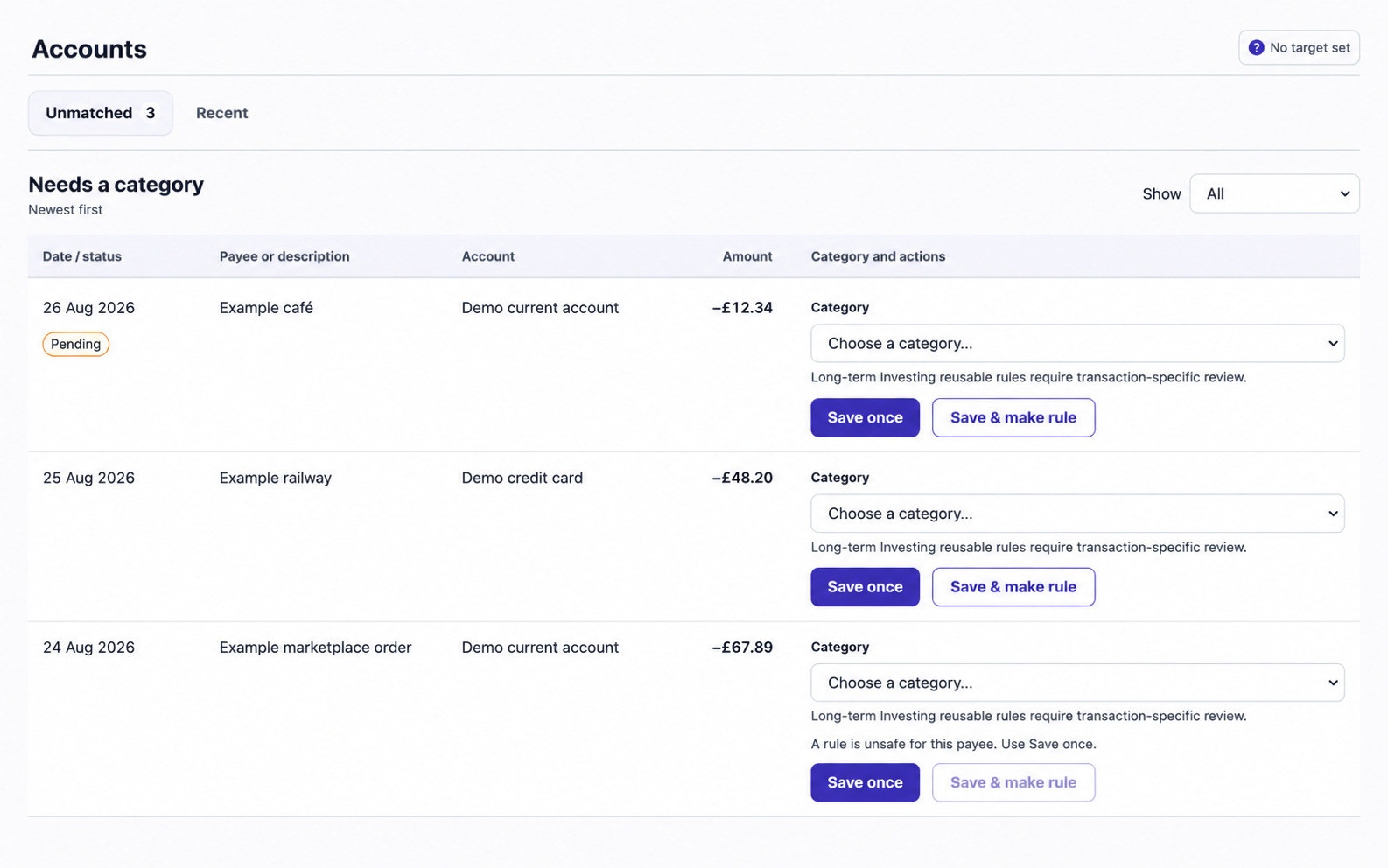
I told the AI to make a rule system. Every time it comes across a vendor, categorise it using these rules. If a rule doesn't exist, put it into a web app.
Also make a webapp that lets me assign categories to these transactions and remember rules.
Also expose it over Tailscale.
basically my mate and I wanted to cycle to Totono no Mori 1, which is like middle of nowhere Inaka country.
There's hyper localised storms in Tokyo and most people use this weather map app thing to work out where those localised storms are
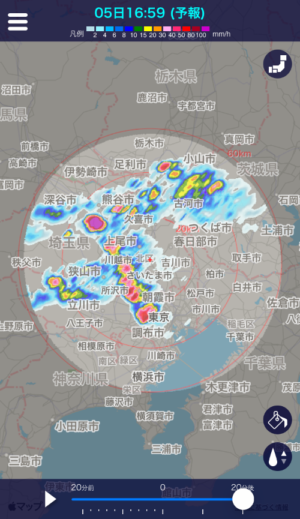
Now the problem with this is that you have to check often.
So I asked my AI
So it did just that, worked out the route, made the cron and it worked.
Well, not really. It was using a non Japanese weather source which wasn't updated as frequently, so we had to huddle into a 7 while we worked out a safe way to get home mid storm.
But this expanded into...
Shiki is just a name of someone from a game I am playing

This way it gave my friend access to my AI agent. This is because I didn't have a phone plan or signal in Japan
This let my friend use my agent to plan a safe route home :) Which was a stupid route, so my friend and I got the bus.
AI is so great, but like most humans it can fail and be a bit silly. So always best to double check.
My friend subsequently used the AI to generate a 10 page PDF on how to take care of their Thai Holy Basil Plants.

Specifically how to care for them in late summer, on a Tokyo balcony, using blogs / videos from other Tokyo residents who are doing the same as references.
My Hermes Agent is Codex for Open Source (Thanks OpenAI! <3) running on an older Macbook air with an M2 and 4gb of RAM I think (or is it 8?). It has a 256gb hard drive.
These limitations mean sometimes it dies, so I have to spend a lot of time keeping it healthy.
I then obviously asked my agent to fix all the problems it found.
Anytime I see something cool on r/selfhosted I make my AI agent install it so I can try it, then I ask it to remove it right after cause I don't like it.
One day I will learn to use domain names for my self hosted setup, today is not that day.
As a full time SRE/Platform Engineer/System Engineer I do not want to do more of my job at home.
I like to publish things on GitHub, I have to maintain my position as top 200 on GitHub World Wide™️

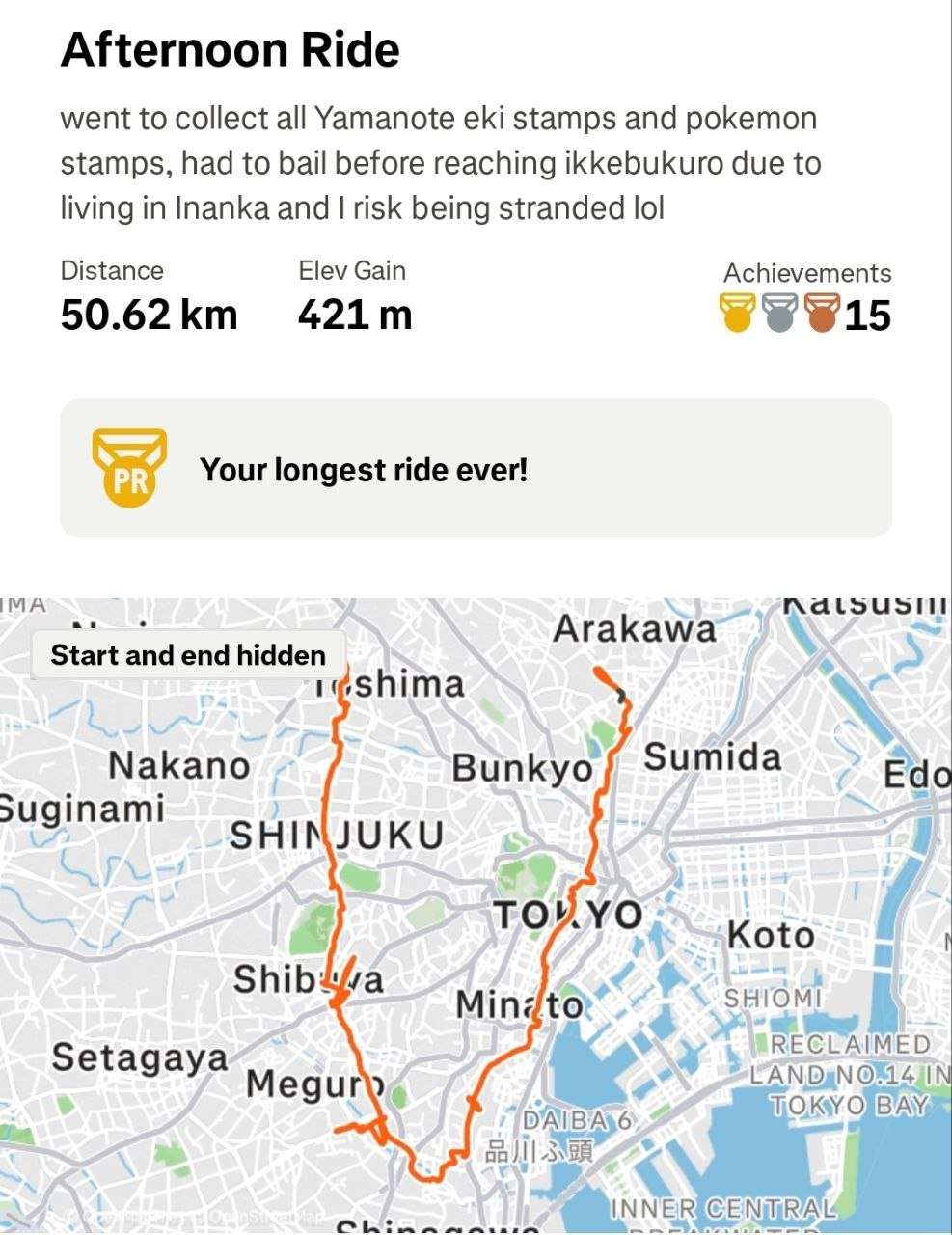
Eki Stamps are one of my favourite past times
It ranked the days and found the best day for me to do this, and the route was pretty goated. I even sent the GPX file to my Garmin Watch to act as a SatNav style device.
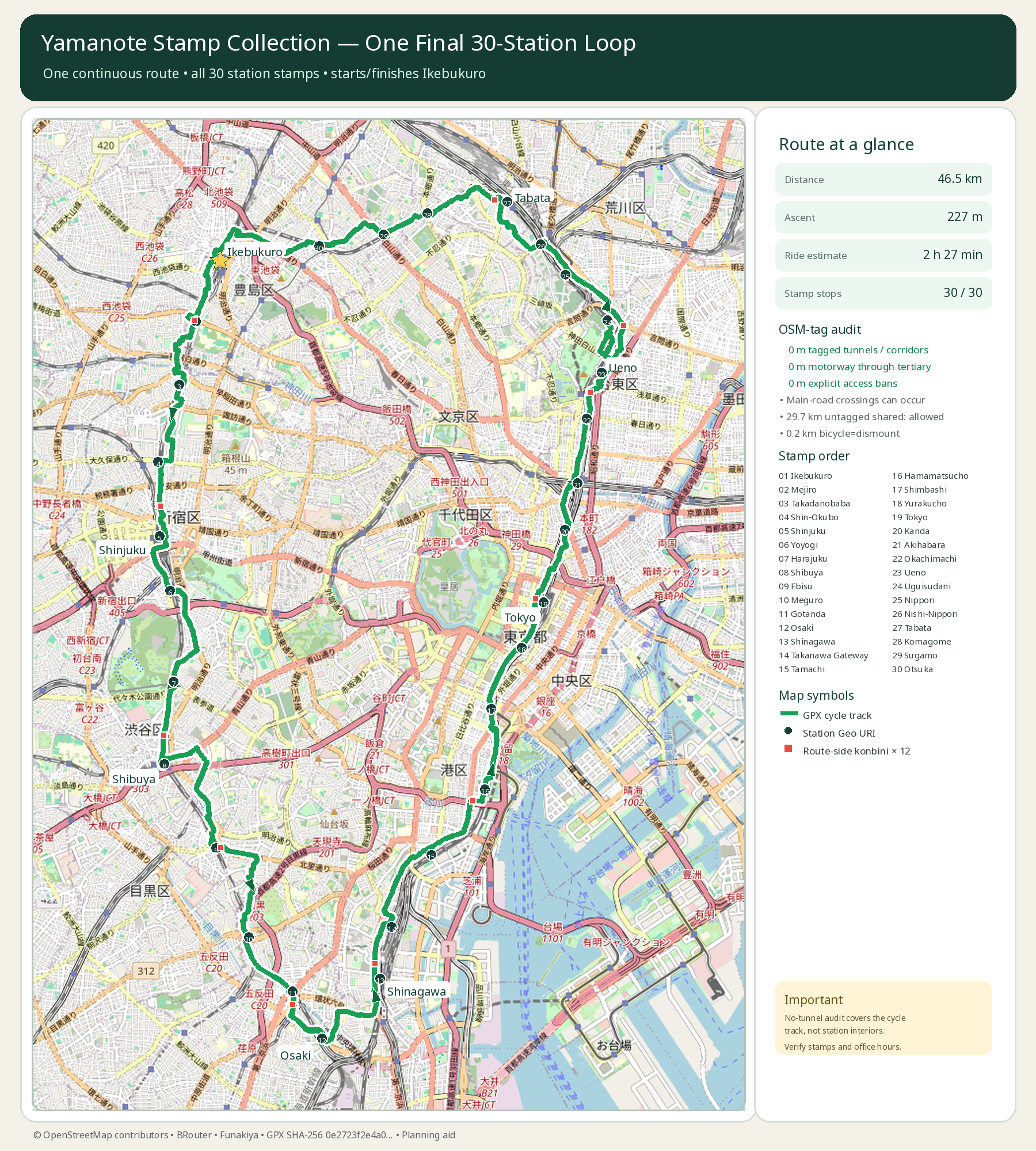
When I got to each waypoint for the stamp, the stamp was only like 10m away.
If it was a bit further, the agent also sent an English translated PDF of a Japanese website listing all stamp locations.
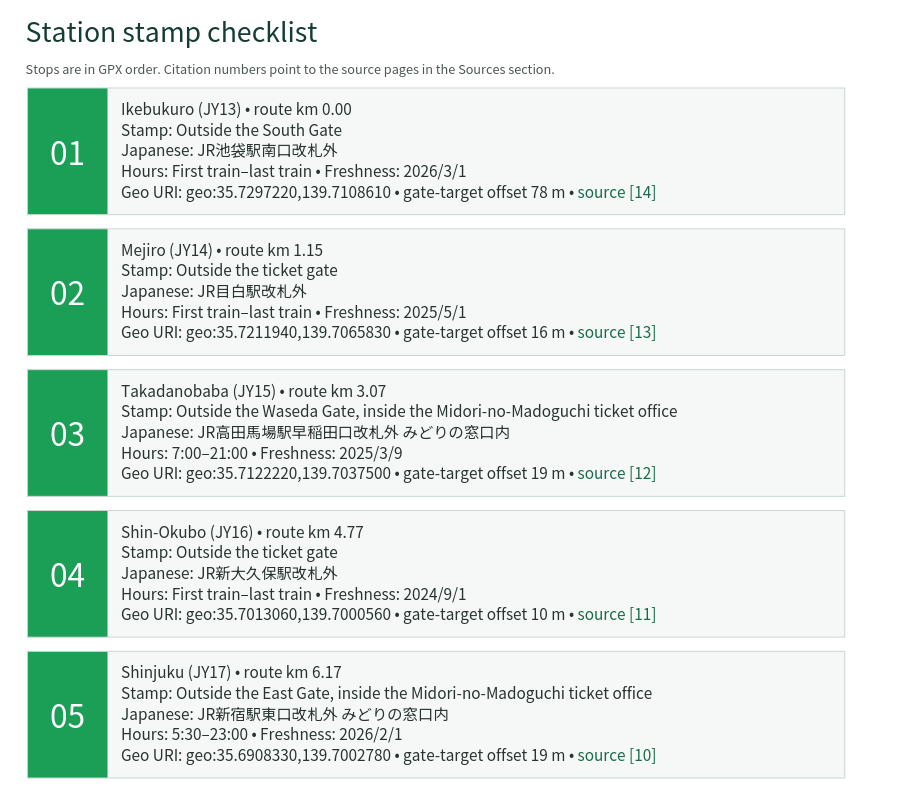
Shame I couldn't complete it though
Mate that app is the worst designed app ever. Even when it said I could park, they STILL WARNED ME!!!!
I heard there's a Key shop, didn't know where it was. ChatGPT told me it didn't exist lol
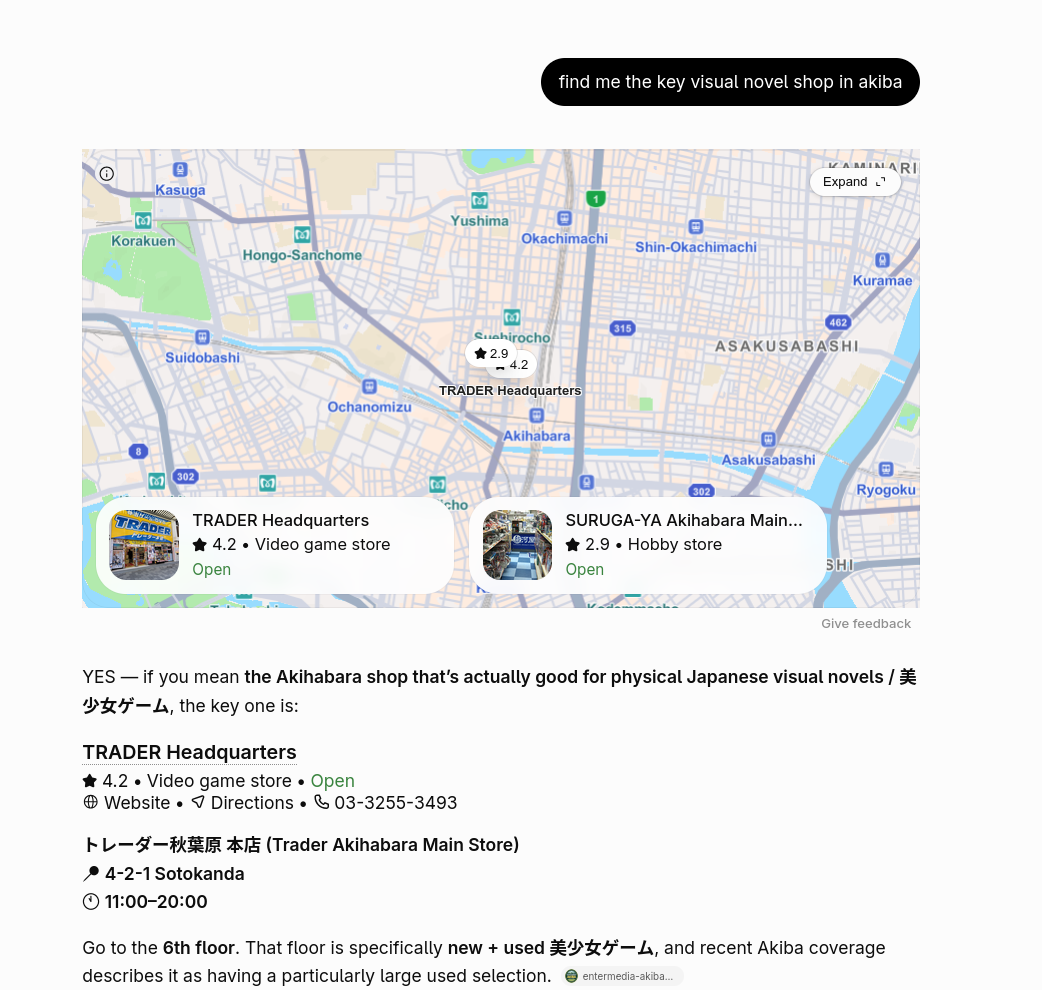
I can promise you it is not Trader.
Thankfully my AI agent found it. It's a popup shop in Animate 🥳

Every Sunday Akiba closes the roads so you can walk on them. It's so cool and magical.
Sometimes it doesn't run due to rain/heat, so my agent checked for me.
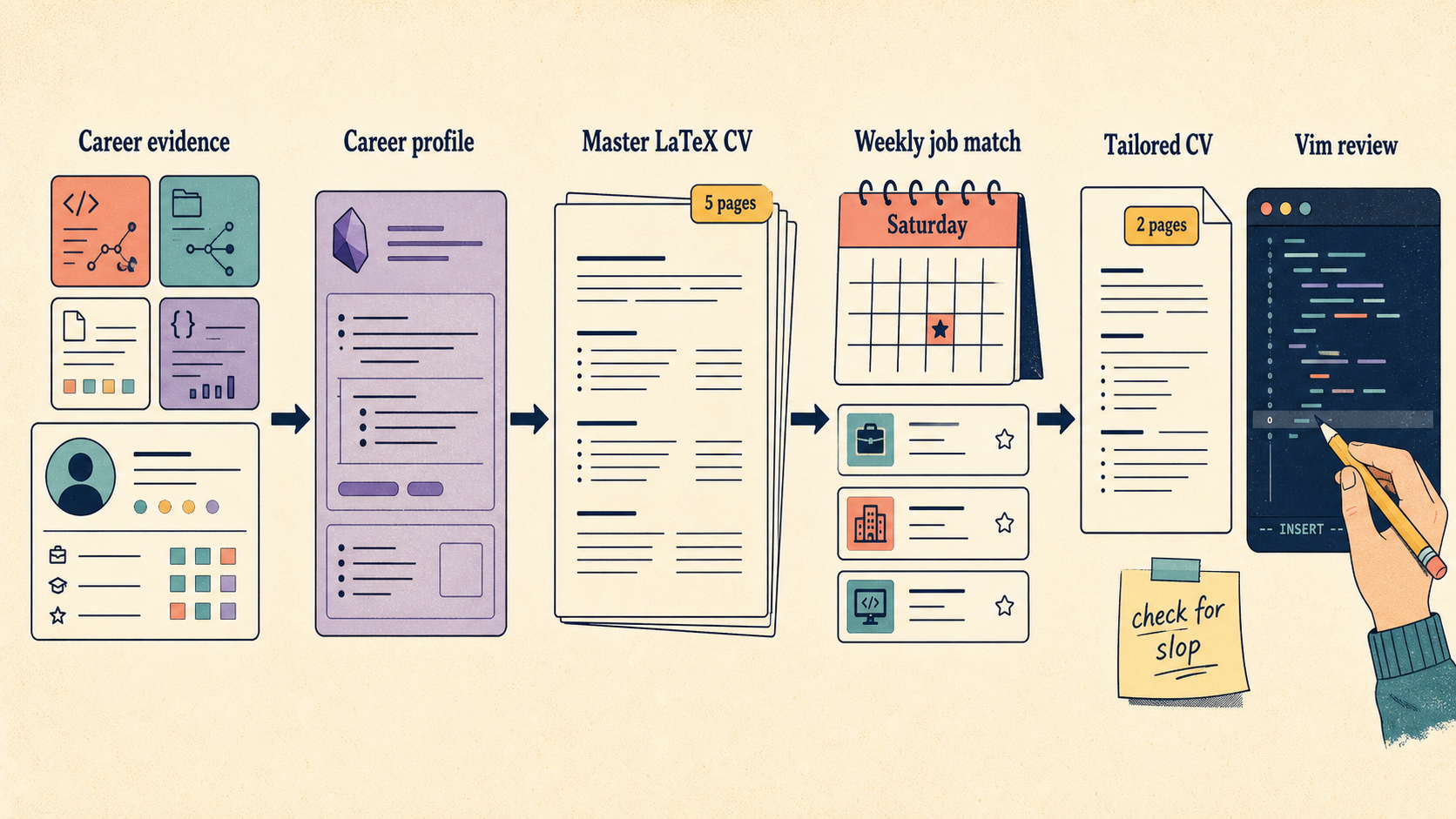
Oh I use Obsidian as my memory system, so it just made an Obsidian file of her.
Used said profile + CV she provided me, made a LaTeX CV.
Pretty cool it can do this, so now it's quite easy for her to apply to jobs.
Presuming the CV isn't complete and utter slop, generally it looks okay. But she does need to open the CV in Vim to edit it.
Anything you can use a computer for, you can ask Hermes to do for you
I read this once on Reddit, and I couldn't agree more.

My Agent does so much for me everyday, I couldn't imagine living without it.
But, it is still not perfect. I don't trust it with my passwords or banking information unlike some people I know. It also gets things wrong, which is okay so long as it does some work in finishing the task so I don't start from 0. I also have to teach my AI how I like to do things, so sometimes it doesn't do it in the method/order I like
I highly suggest you get an AI agent and try to automate some of the boring stuff.
Unlike OpenClaw and co, my Hermes Agent doesn't have a "heartbeat".
It only works when I ask it to, or when a cron (which I asked it to make) runs. I regularly evaluate my Crons and remove ones I don't want.
I try really hard to reduce the blast radius of a potential breach while still maintaining usefullness.
A question you will have is "What tools do I use to do all this?"
I think an important tip is just to start small, your agent will learn about you and together you will make skills, automations, and tooling to improve your life.
This is just 2 weeks of AI usage, there is so much cool stuff I do every day. Maybe if you want, I can write a list of my favourite things Hermes has done for me in the 5 months I've been using it.
2026-07-26 21:45:04
Speedrun fans: play this
On the 1st of January, 2026 importing a dictionary of every Japanese name took 3 hours.
Thousand and thousands of hours were spent by people optimising dictionary imports to make them as fast as possible.
Through hours of compression, you could get it down to a humane 1 hour 36 minutes.
But still, 1 hour 36 is too long. No one wants to spend hours importing a dictionary. But if we make the dictionary too small, it's not useful.
Developers had chosen a middle ground. They had long forgone including names from anime or manga, as it simply was too many. Instead they opted for visual novels.
When all hope was lost in creating the ultimate name dictionary, it happened.
One crazy developer gets it down to 90 seconds, a decrease of 95% – a far cry from the current number 1 on the leaderboard.
His findings spawned an informal speedrunning competition, where developers across the world seemingly found impossible tricks and had to rethink dictionaries in ways previously unimaginable.
All to answer one simple question:
Who can import dictionaries the fastest?
First, a few basics.
Japanese names are weird.
So weird, in fact, the average Japanese speaker has no clue how to read someones name. No, seriously. The first thing they ask upon hearing someones name is:
お名前は、漢字ではどのように書きますか。
Or in English:
How do I write your name?
You see, Japanese has three alphabets. Hiragana, Katakana and Kanji.
There are 46 Hiragana characters.
46 Katakana characters,

51,398 Kanji characters.
But don't worry! You only need to memorise around 3000 realistically. Well, 5000 if you plan to go into university or something.
Each Kanji can have multiple ways to say it.
生 is read as "nama" – fresh, natural, raw, live, etc.
But it doesn't just mean "nama". It can also be read as ikiru, umareru, haeru, and about 150 other readings.
So you don't just need to memorise 5000 but also a lot of readings too. Something more like 15,000 items.
Japanese names typically use kanji, for example "大翔" has 2 kanji.
Together as a name they are typically read as "hirohito", which means "soaring greatly".
But actually, that name can also be read as:
So you see, there are 2 big problems with Japanese names:
for (1) authors will write the name in another alphabet to explain it.
For (2) you have a really cute conversation with someone over their name. Usually something like "Wow! Your parents picked pretty kanji, I like it".
Even Japanese people suffer with names.
As a learner to Japanese, I have a really fun problem.
When reading a book, playing a game etc I genuinely have no idea what someone is called unless it is explicitly stated to me. Multiple times.
Japanese people will see the name in hiragana once and remember it, but for me I can't do that. I'm too new to the language to do that.
In the interwebs there exists many a dweeb, nerd, otaku or worse – an AI bot.
These wonderful nerds spend all their time cataloguing data.
There are websites like VNDB or Anilist where people catalogue every visual novel, anime, light novel or manga to exist.
These same people go out of their way to learn the character names and create wonderful catalogues of them.
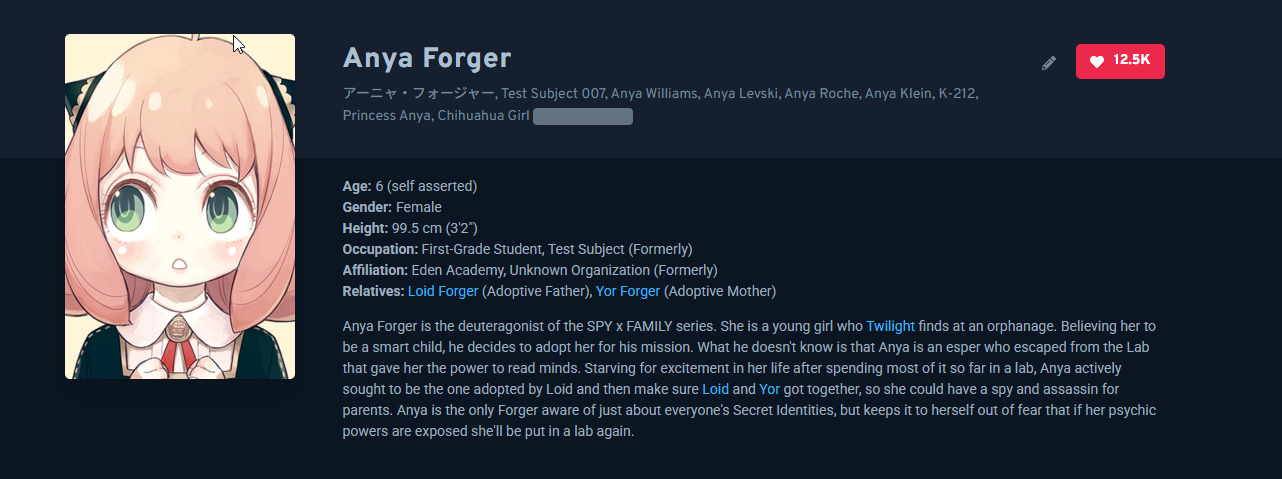
You can look up your favourite anime and find the characters name, official spelling, all nicknames, and information about them.
As a learner this is massive!
Since I play a lot of games, I use GameSentenceMiner to be able to use Yomitan in game.
🥱 Yomitan is a dictionary app. You download dictionaries and can look things up.
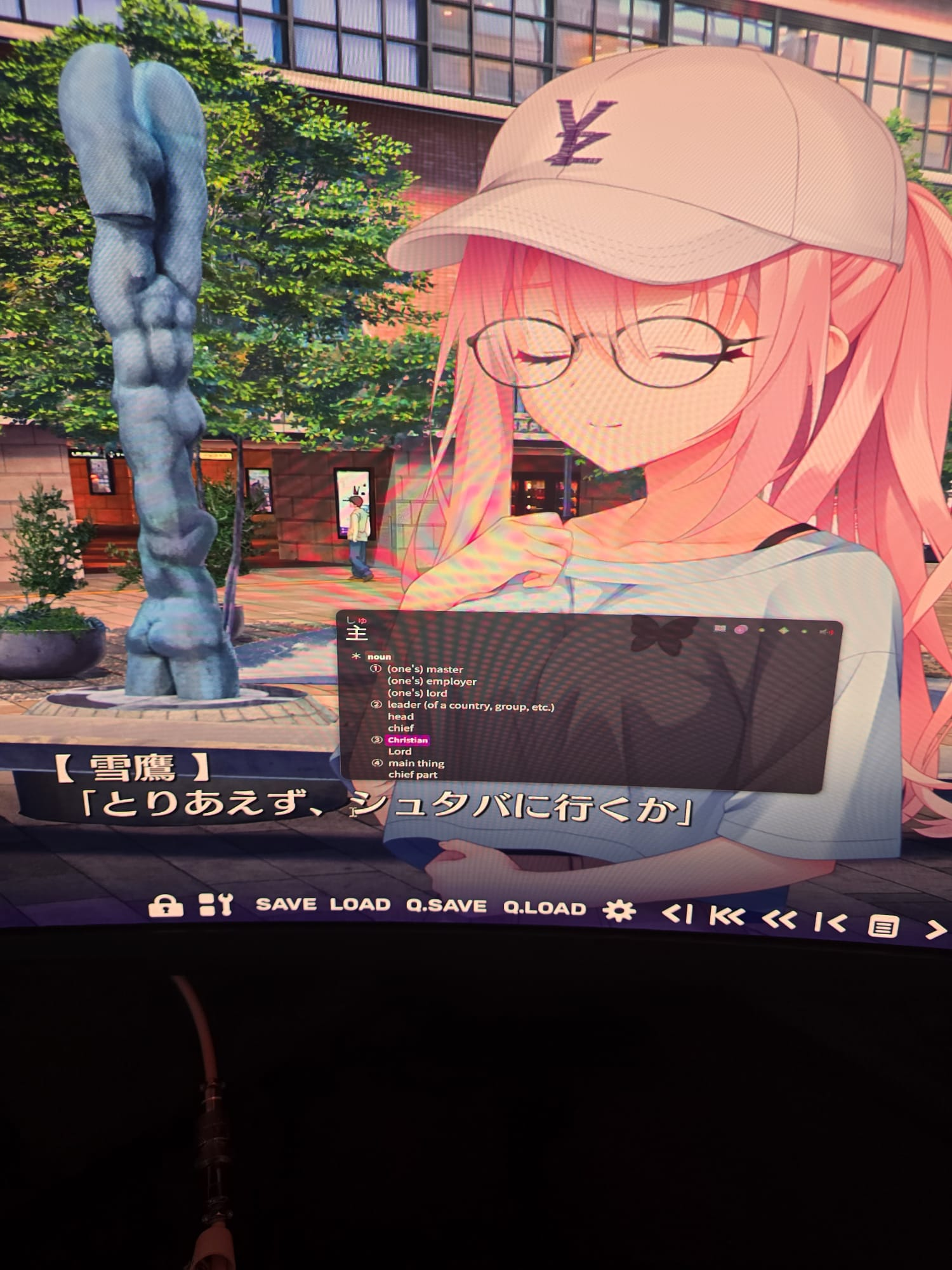
Here is me looking up a word in Yomitan.
So last year I contributed to GameSentenceMiner a fancy dictionary.
Anytime I played a new game, it would automatically update to have character information in it.
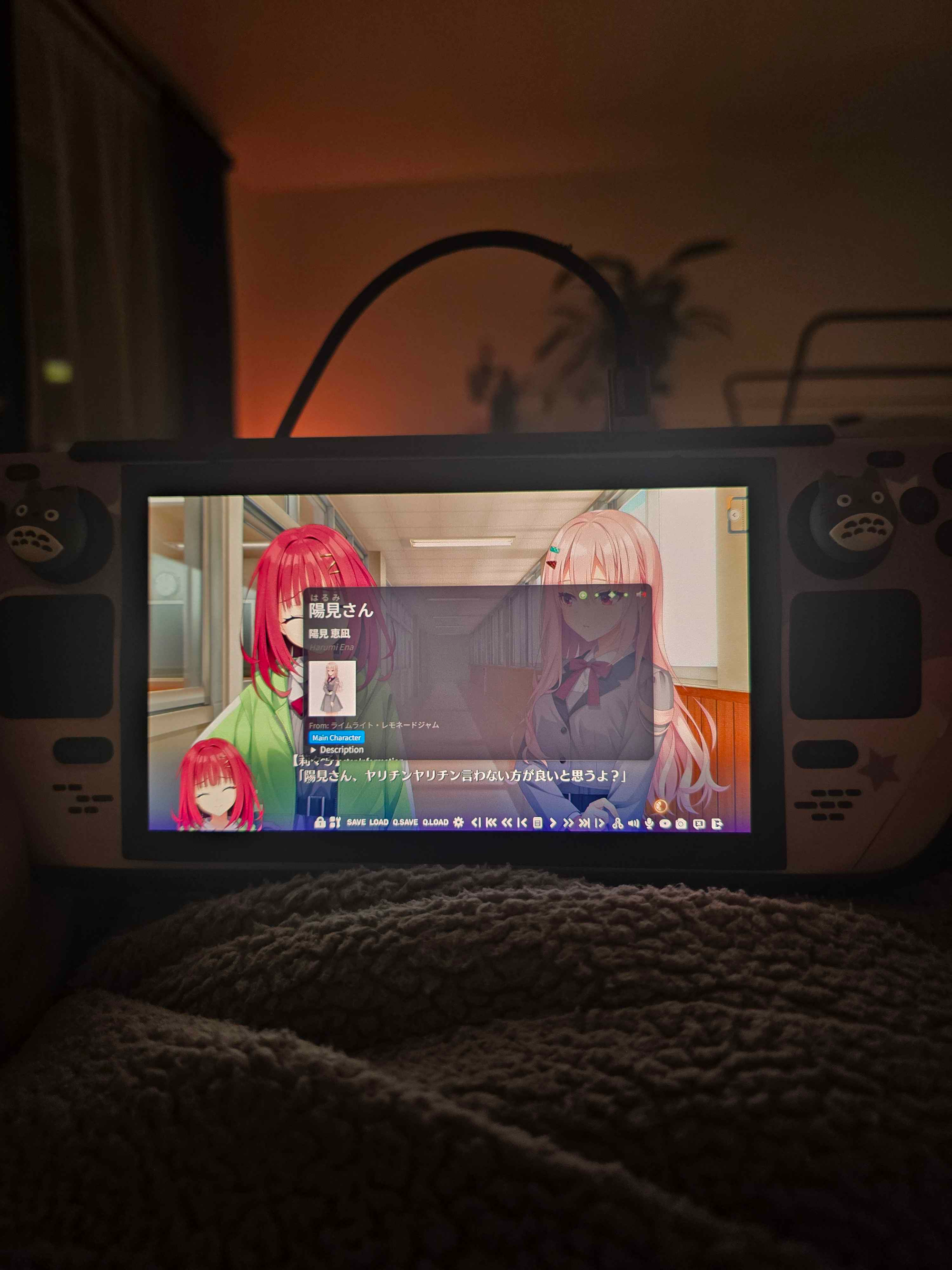
Not only the name, but a description and image too.
No longer did I have to guess Kanji names! I could see them right there, in my dictionary!
But then someone said to me:
I don't use GSM, is there anyway you can make this for my game? 😦
So then I thought... Hey... I had written code to make this work for a game.
What if I just go through all visual novels on VNDB and do it for them?
After doing that, it ended up being around 3 gb. For a dictionary. FOR A DICTIONARY!?!
So I cut it back. I compressed it immensely. I removed features.
No more anime / manga / lightnovel support. Only visual novels. Other creators of similar dictionaries agreed with me.
This became 300mb, or about 6 million name entries.
6 million entries for names is a lot.

It took me 1 hour to import it into Yomitan. 30 minutes to import it into a competitor app named JL.
Basically, this dictionary was impossible to use. It took so long to import into any app it just wasn't worth it.
It all started when a friend of mine, who builds Manabi an app for learning Japanese on IOS, mentioned he is doing performance work to improve Manabi's speed.
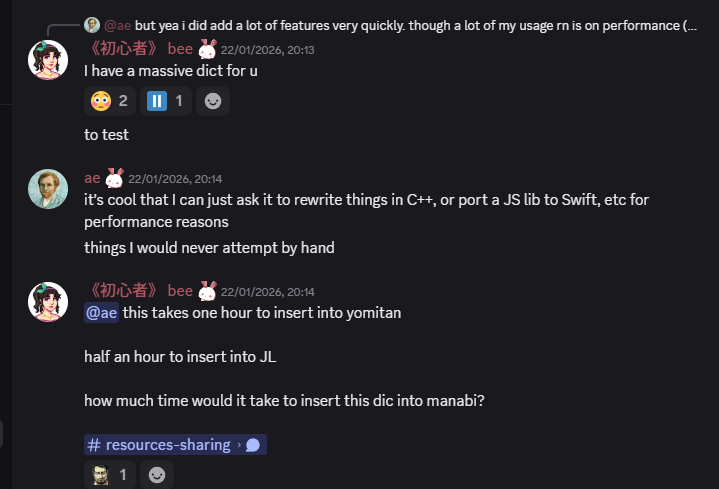
I hit him with a quick "hey try out my massive dict".
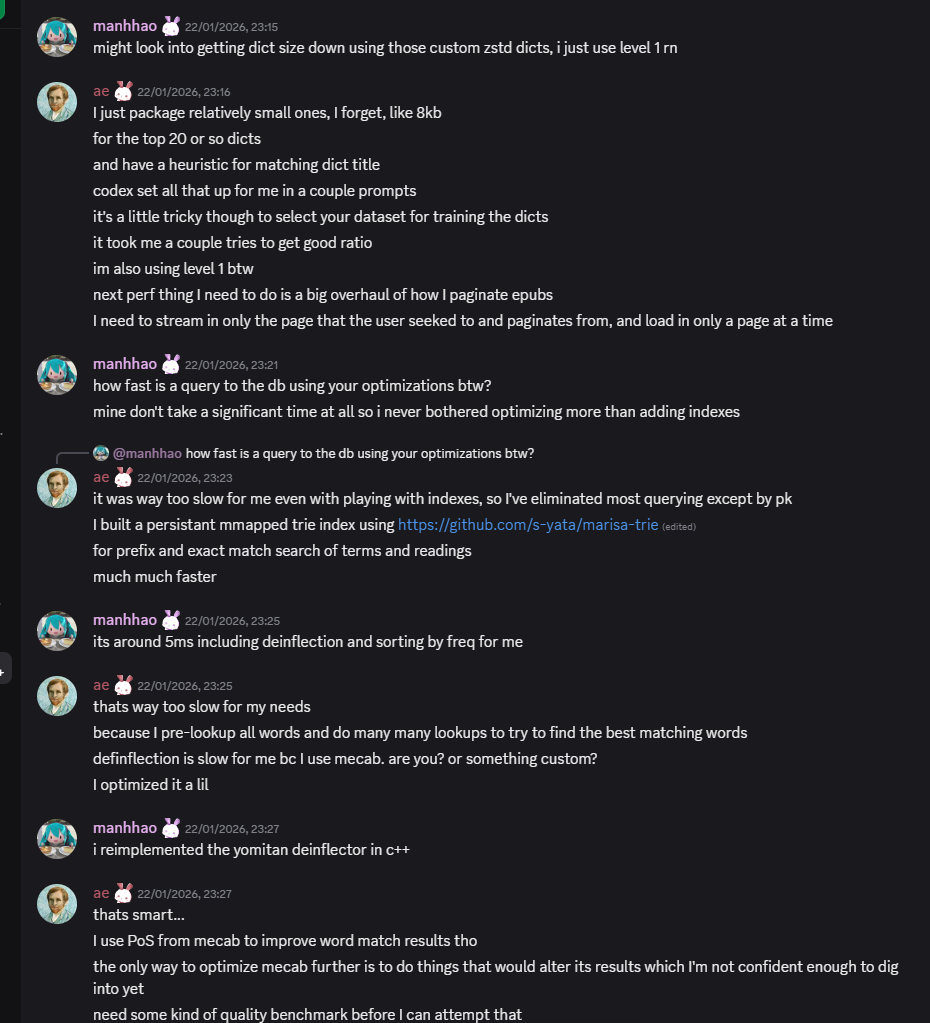
Manhhao, who is building a Manabi competitor was the first to complete a run.
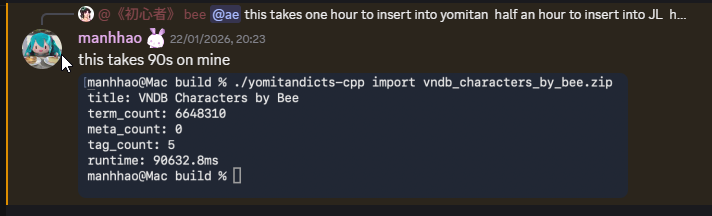
90 seconds. That's a 97.5% decrease!
Manhhao achieved this by writing their own JSON Parser specifically for the Yomitan dictionary schema.
Yomitan dictionaries are JSON files.
You know how in infrastructure everything is a YAML? Well in dictionaries it's either HTML, or JSON masquerading as HTML.
Yomitan dictionaries contained "structured content" which are just nested JSON structs pretending to be HTML.
When you import a Yomitan dictionary, a traditional JSON parser goes through every single term and does something like:
json["glossary"][0]["tag"]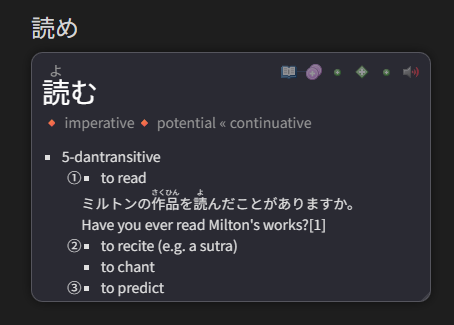
You can see how it would be nested JSON once you look at a dictionary that uses it.
Instead of parsing JSON at import time, Manhhao had a thought similar to that of Charlie Munger.

Instead of parsing all JSON at import time, why don't we parse it once the user looks it up?
Since they are rendering it with Javascript, parsing the JSON from a single index and rendering the HTML is trivial.
This increases dictionary lookups slightly, but decreases imports significantly.
Then 5 minutes later Manabi claps back with 58 seconds. The first sub 60!



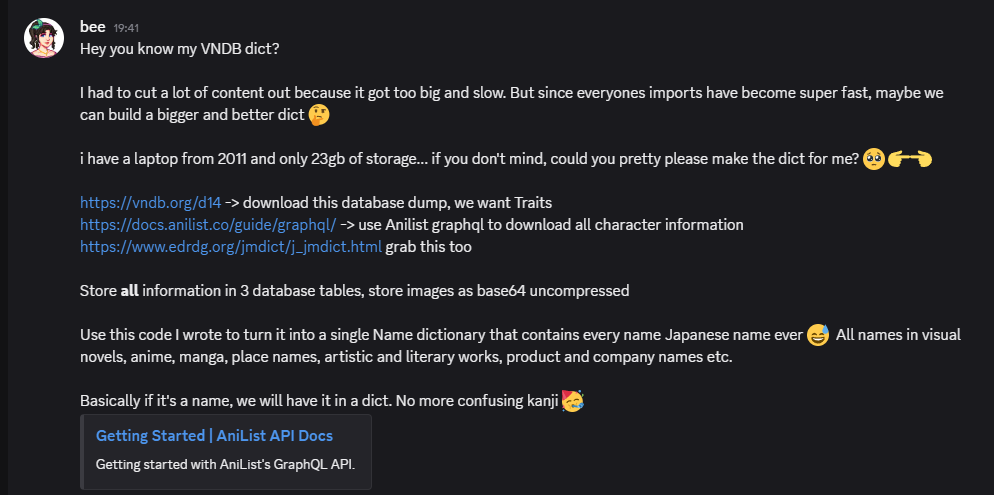
Desribe what a dict is and what it contains, and how we build it
second round
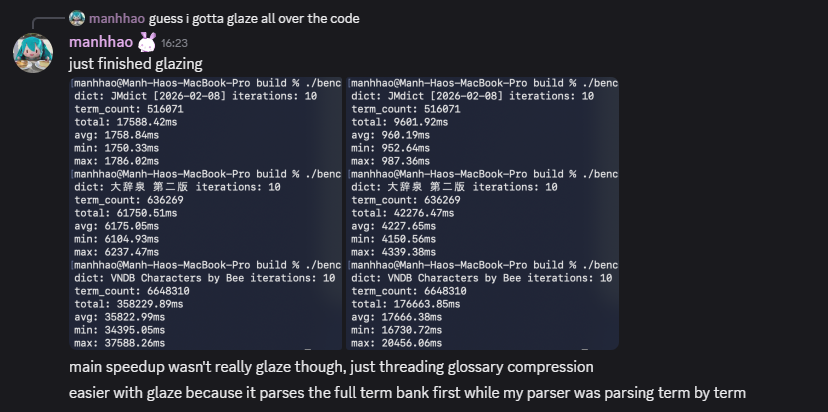

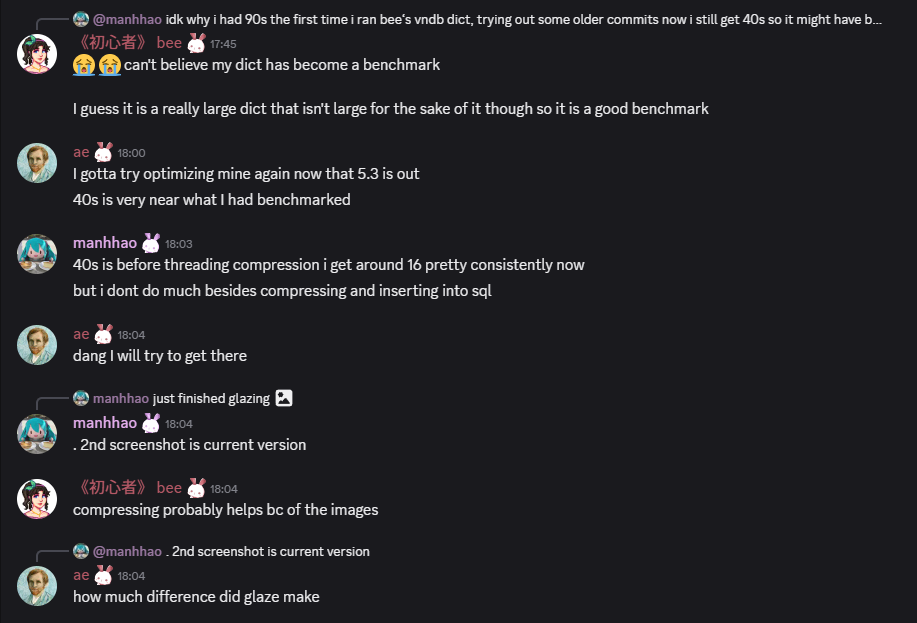
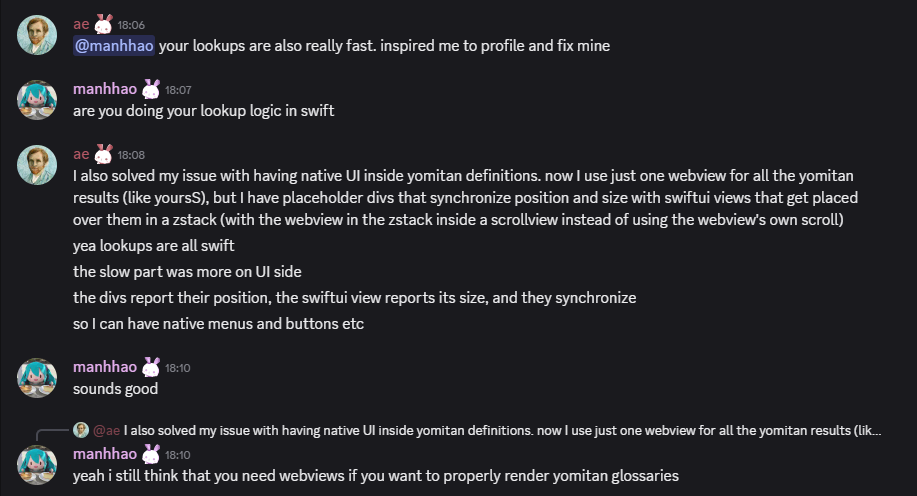
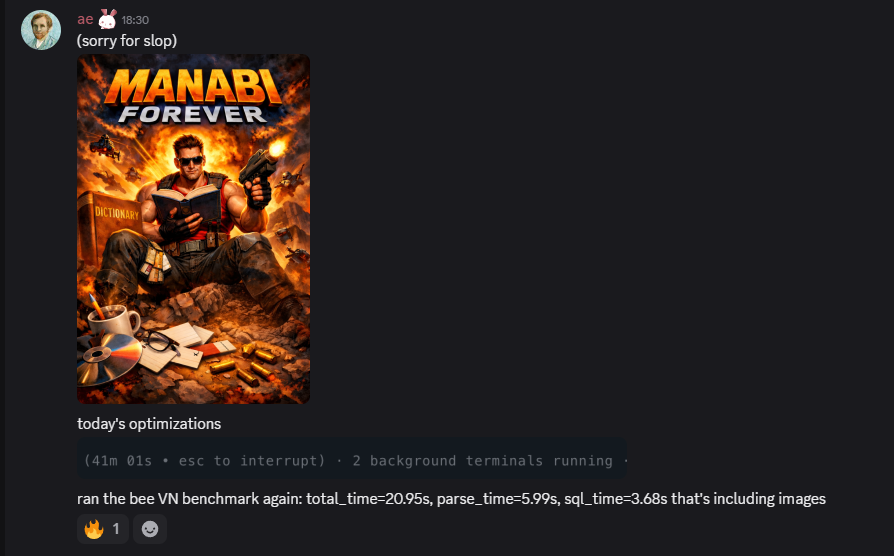
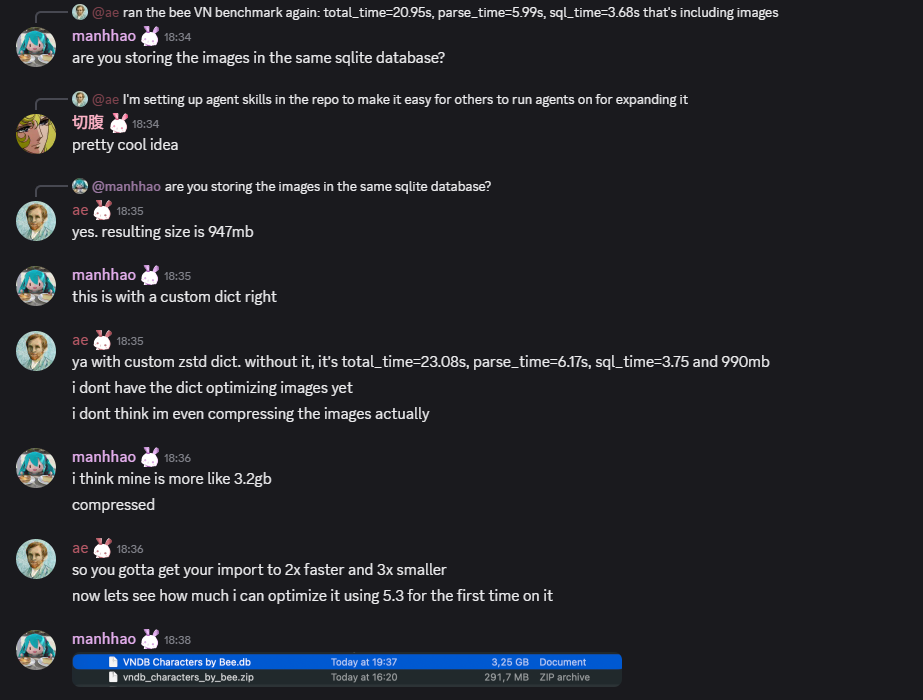
The race is on

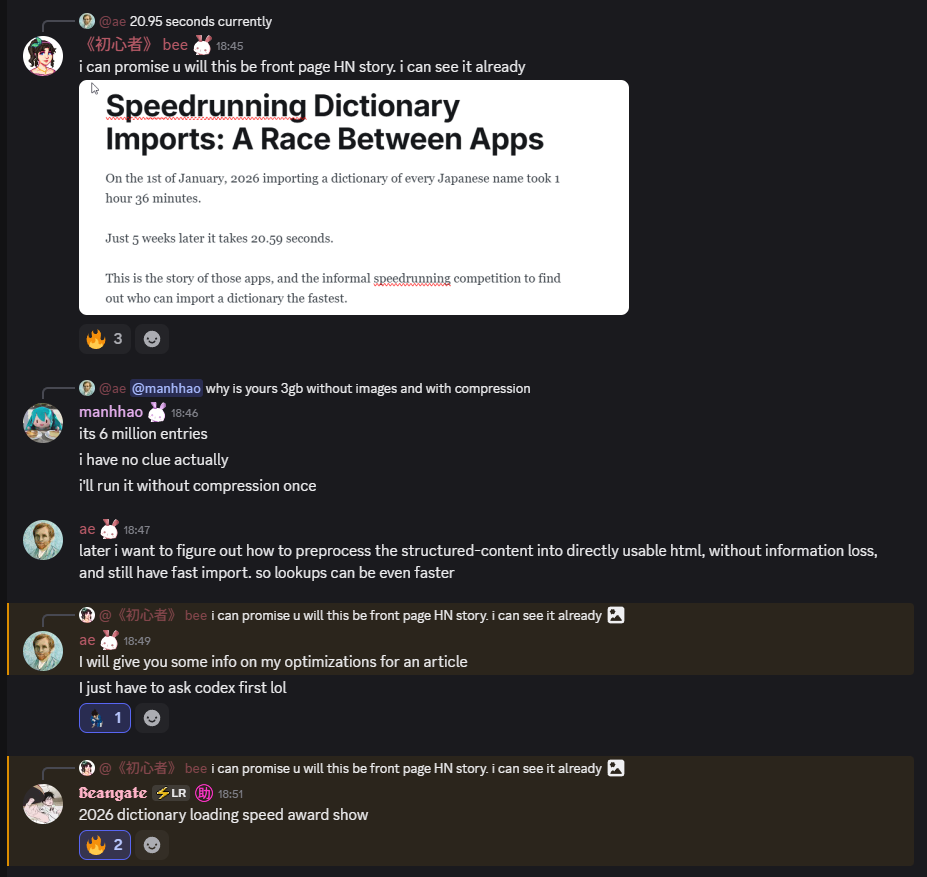
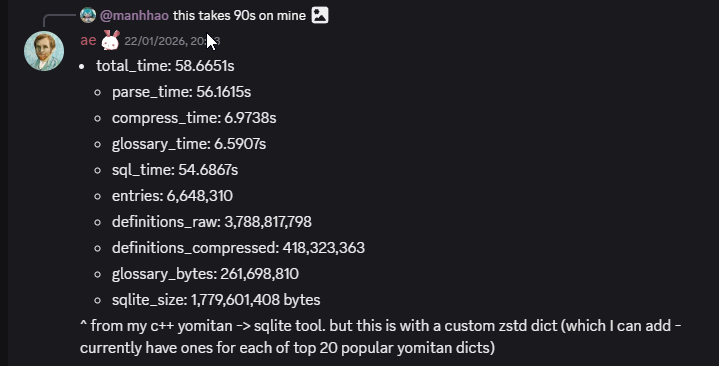
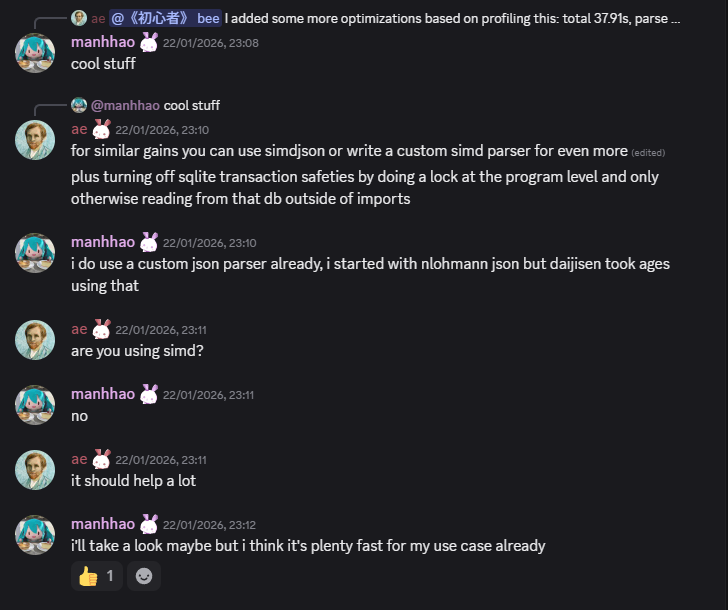
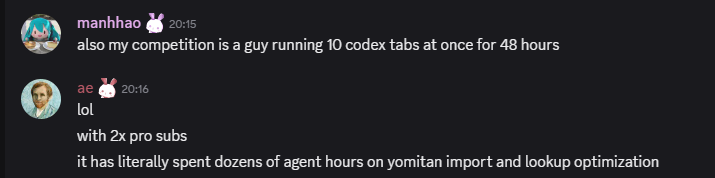
At this point I dm'd ae to ask for help.
ae has significantly more resources than I do in terms of compute, storage and bandwidth.
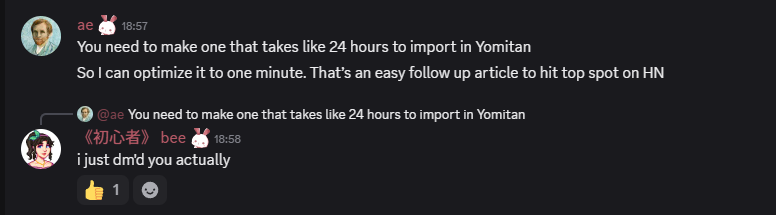
So I hit him up.
ai usage

2026-05-09 04:51:02
![[Unfinished] Turning Steamdeck into a Japanese immerison machine by dual booting Windows](https://images.unsplash.com/photo-1777432033552-5b34be22ae46?crop=entropy&cs=tinysrgb&fit=max&fm=jpg&ixid=M3wxMTc3M3wwfDF8YWxsfDJ8fHx8fHx8fDE3NzgyNzA1NzN8&ixlib=rb-4.1.0&q=80&w=2000)
The dream of being able to immerse in Japanese games using all the tools you love (GSM, Luna, JL) on a handheld device has simply not been possible.
Until now.
This blog post will show you, reader who already has an immersion setup on Windows, how to do the exact same thing on the Steamdeck.
But on Steamdeck.
![[Unfinished] Turning Steamdeck into a Japanese immerison machine by dual booting Windows](https://storage.ghost.io/c/4c/7a/4c7ae3c8-8a0d-4ac2-a219-98b0b7157da6/content/images/2026/02/image.png)
We're going to do this by dual-booting Windows and SteamOS on the Steamdeck.
But firstly, why dual-boot and not go full Linux?
So why not go full Windows?
SteamOS is specifically made for the Steamdeck.
I know I do!
If you want to attempt the Linux only way™️, read this:
You should join the SteamOS Beta.
This is because it has BIOS drivers you need to make it work on Windows.
You need to set a Steamdeck password to do adminy things.
Follow this:
If you want a more hand-holdy video, this is good:
Look for "setup information" file type, right click and "Install".
It should boot back into Windows.
Connect to WiFi and install Windows updates.
Now after doing that, restart the steamdeck.
Go back to Windows updates, click on "Advanced Options" and then "Optional updates"
Update everything again.
Now let's configure Clover.
When you dualboot normally you can choose between 3 things:
I believe Clover has controller support whereas the others don't.
Open cmd as admin.
bcdedit -set {globalsettings} highestmode on
reg add "HKEY_LOCAL_MACHINE\System\CurrentControlSet\Control\TimeZoneInformation" /v RealTimeIsUniversal /d 1 /t REG_DWORD /fSets hardware clock to UTC rather than local time.
If you have ever dual booted Linux and Windows you know this is required.
Now shut down your Steamdeck, go into boot manager and boot into SteamOS.
Follow this video to fix it :)
There were some status.txt
In the docs it says:
Use this only if you have Windows installed on microSD / external SSD and if Windows keeps hijacking the bootloader!
Since I don't use that, I don't care.
Now Windows should work fine, let's optimise it to work even better.
Your life will be much easier.
Here's what I did:
Disable All Updates:
![[Unfinished] Turning Steamdeck into a Japanese immerison machine by dual booting Windows](https://storage.ghost.io/c/4c/7a/4c7ae3c8-8a0d-4ac2-a219-98b0b7157da6/content/images/2026/01/image.png)
Dual booting often breaks because Windows update breaks it.
I will disable all updates, but Windows Defender will still update its threat lists in the background so it's not all terrible.
![[Unfinished] Turning Steamdeck into a Japanese immerison machine by dual booting Windows](https://storage.ghost.io/c/4c/7a/4c7ae3c8-8a0d-4ac2-a219-98b0b7157da6/content/images/2026/01/image-1.png)
On the Config page do this:
![[Unfinished] Turning Steamdeck into a Japanese immerison machine by dual booting Windows](https://storage.ghost.io/c/4c/7a/4c7ae3c8-8a0d-4ac2-a219-98b0b7157da6/content/images/2026/01/image-2.png)
In apps install:
Now open Powershell in admin and run this:
Set-WinSystemLocale -SystemLocale ja-JPJapanese games require Japanese locale :)
And do this:
While you're there, also install Japanese language support.s
Now let's set up our mining stuff.
Set up Anki and login, sync or whatever.
Go to your Anki addons folder on Desktop (assuming you have it)
C:\Users\Bee\AppData\Roaming\Anki2\addons21
It all works.
We'll be using GameSentenceMiner.
Go to this and install it:
![[Unfinished] Turning Steamdeck into a Japanese immerison machine by dual booting Windows](https://storage.ghost.io/c/4c/7a/4c7ae3c8-8a0d-4ac2-a219-98b0b7157da6/content/images/2026/01/image-3.png)
Disable texthooker on startup.
![[Unfinished] Turning Steamdeck into a Japanese immerison machine by dual booting Windows](https://storage.ghost.io/c/4c/7a/4c7ae3c8-8a0d-4ac2-a219-98b0b7157da6/content/images/2026/01/image-4.png)
![[Unfinished] Turning Steamdeck into a Japanese immerison machine by dual booting Windows](https://storage.ghost.io/c/4c/7a/4c7ae3c8-8a0d-4ac2-a219-98b0b7157da6/content/images/2026/01/image-5.png)
I play visual novels so I don't need them to be animated 😄
But if you play games, activate animation!
I set AI up:
![[Unfinished] Turning Steamdeck into a Japanese immerison machine by dual booting Windows](https://storage.ghost.io/c/4c/7a/4c7ae3c8-8a0d-4ac2-a219-98b0b7157da6/content/images/2026/01/image-6.png)
Then set MeikiOCR in Overlay:
![[Unfinished] Turning Steamdeck into a Japanese immerison machine by dual booting Windows](https://storage.ghost.io/c/4c/7a/4c7ae3c8-8a0d-4ac2-a219-98b0b7157da6/content/images/2026/01/image-7.png)
In Advanced:
![[Unfinished] Turning Steamdeck into a Japanese immerison machine by dual booting Windows](https://storage.ghost.io/c/4c/7a/4c7ae3c8-8a0d-4ac2-a219-98b0b7157da6/content/images/2026/01/image-8.png)
Close GSM and reopen it, my OBS was not synced properly until I did this the first time.
In OBS go to settings, output and then set these:
![[Unfinished] Turning Steamdeck into a Japanese immerison machine by dual booting Windows](https://storage.ghost.io/c/4c/7a/4c7ae3c8-8a0d-4ac2-a219-98b0b7157da6/content/images/2026/01/image-9.png)
Now in Video tab:
![[Unfinished] Turning Steamdeck into a Japanese immerison machine by dual booting Windows](https://storage.ghost.io/c/4c/7a/4c7ae3c8-8a0d-4ac2-a219-98b0b7157da6/content/images/2026/01/image-10.png)
Basically all these settings say:
Finally in GSM enable "Start Overlay on Startup":
![[Unfinished] Turning Steamdeck into a Japanese immerison machine by dual booting Windows](https://storage.ghost.io/c/4c/7a/4c7ae3c8-8a0d-4ac2-a219-98b0b7157da6/content/images/2026/01/image-11.png)
Open GSM Overlay and set Yomitan up, just export your settings from your desktop and move them over.
Pro GSM tip:
![[Unfinished] Turning Steamdeck into a Japanese immerison machine by dual booting Windows](https://storage.ghost.io/c/4c/7a/4c7ae3c8-8a0d-4ac2-a219-98b0b7157da6/content/images/2026/01/image-12.png)
Go to settings -> Database Management and download the special Yomitan dictionary for character information in your games!
While you're here, set up Jiten reader. Use this for Custom Word CSS to make it look normal. The default CSS is horrific to look at.
.jiten-word.new { color: inherit !important; }
.jiten-word.blacklisted { color: inherit !important; }
.jiten-word.mature { color: inherit !important; }
.jiten-word.due { color: inherit !important; }
.jiten-word.young { color: inherit !important;}
Also in settings for Websocket remove all Websockets apart from 2333.
![[Unfinished] Turning Steamdeck into a Japanese immerison machine by dual booting Windows](https://storage.ghost.io/c/4c/7a/4c7ae3c8-8a0d-4ac2-a219-98b0b7157da6/content/images/2026/01/image-13.png)
2333 will be used by Lunahook, this saves some cpu cycles as GSM regularly checks to see if those sockets are open.
GSM keyboard shortcuts in overlay todo
Now install this:
This lets you control Steamdeck specific things like fans / gpu usage etc.
Install this:
Turn off Google translate.
Put it into Windows defender allow list so it doesn't break.
Turn on networking.
Just make sure the webhooks in GSM hook up to it.
I installed Copyparty to let me copy and paste games from my desktop to my SD:
It's like FTP but:
A lot less finicky for me.
Cause GSM records the game itself and not the window (by default), your screenshots won't be yellow.
Windows nightlight has a max limit to it, F.lux does not. You can go super red.
Use this to instantly load your gaming library on startup. Lunatranslator and GSM should auto switch to it.
Steam games do not work :/
2026-05-04 16:25:32
Hi I vibe coded this addon
it's a sorting addon for new flashcards in anki.
Other sorting algorithms:
this addon uses an advanced algorithm (I actually wrote it, but the AI implemented it. No idea if it's the most optimal, but I was going back and forth and double checking my new card order and this one looks like it works)
The idea is:
Reduce the struggle. Words with all Kanji known or only kana appear first, UNLESS there is a super high frequency word you are missing
Basically, if you know all the kanji the word is super easy so you should see it first.
it also works for other things not just visual novels
Algorithm
note:Kiku is:new -is:suspended. Review and learning cards are ignored.matureQuery or the generated matureDays query. It reads the Expression field from those mature Kiku notes and extracts kanji characters. If a kanji appears there, it counts as known.jitenFrequencyListId. The default is global. The add-on tries to use:Global snapshot when the selected list is global
FreqSort only if no Jiten data is availableExpressionFreqSort rank as fallbackFreqSort as fallbackall_kanji_known: 1.00
kana_only: 0.92
1 - min(0.18 * unknown_kanji_count, 0.54)
0.04 * coverage_score for cards that still have unknown kanjieasy_first_tiered_v1 mode still exists if you want strict buckets.preferShorterExpressions = true
There are also optional strategies, easy_first_tiered_v1 and balanced_ease_v1, but the default and recommended path is frequency_first_soft_v1.
2026-05-04 16:20:41
hi i vibe coded this super simple anki addon
go to tools -> Export Mature Words to Clipboard
It will ask you to set up your cards, like what Mature is and what Anki card field has the word
After that everytime you click this, it will export all mature words to your clipboard
No features other than that.
Use cases
2026-04-13 01:03:44
Like any Linux nerd I have been into ricing for a while, stalking the good folks over on r/unixporn and making my own Hyprland rice.
But for the past 6 months or so I've been using KDE.
And the past 2 weeks I have gone back from Wayland to X11 (it's just more stable)
This just so happened to coincide with me discovering this community:
https://www.reddit.com/r/MoeDesktop/
It's like r/unixporn but for classic 2005 otaku desktops, invoking the feeling of Moe (pronounced mo-eh).
Which just means cuteness (or something like that) in Japanese
So I thought I would try my hand at a Moe rice.
My first stop was this KDE Aero Plasma theme, since I'm a big big fan of the Vista aesthetic.
I installed it in one Paru command and it worked 🥳 My desktop does look like Vista now!!
I'm using this wallpaper from Nekopara:

It's really cute!
There's things in Python you can do to study the images colours using ImageMagik and match your colourscheme to it.
So after Aero and my wallpaper I did this!
In KDE you can edit your cursor super easily
I went into KDE cursor store and got my Miku cursor!
Like any good Otaku and doujinsoft fan I needed widgets.
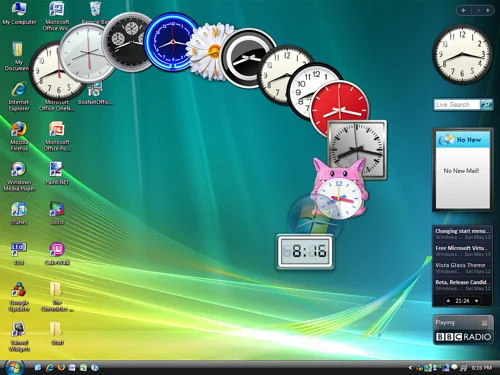
Remember how cool it was in Vista!?
So I looked at the defaults.
I added the Photo Gallery widget
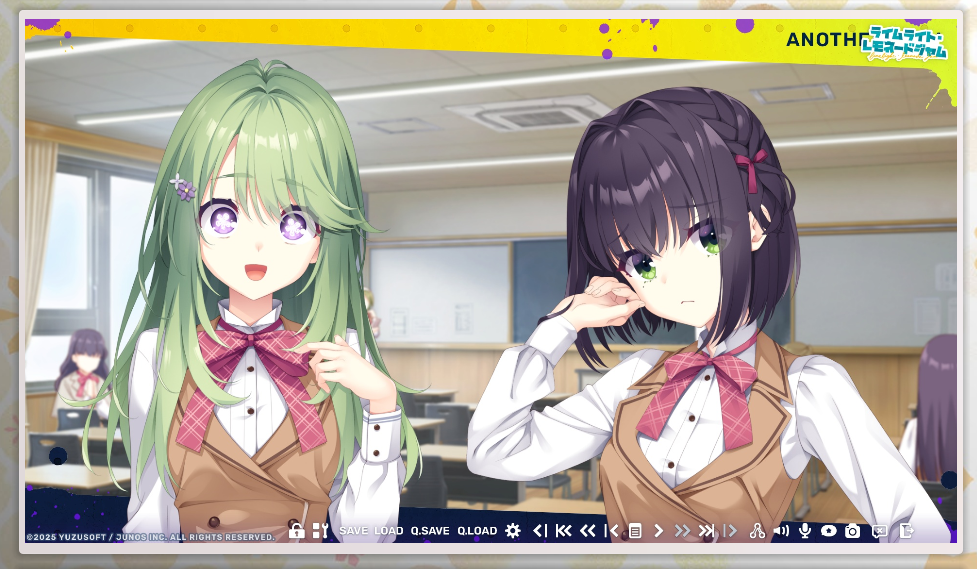
Because I take so many screenshots of anime / visual novels I just pointed it at my folder.
In this game her eyes reminded me of Oshi No Ko!
Second widget is weather!
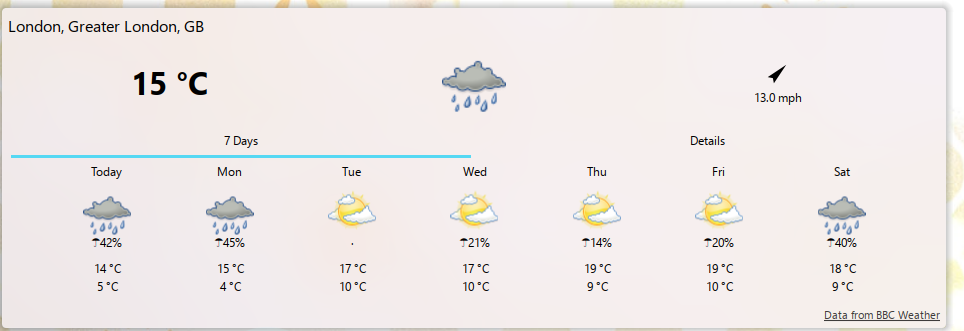
I live in the UK
Somedays it's super sunny, the next it's raining.
Last week I went to work in a coat. Everyone else was in cute dresses and skirts.... I was the odd one out :/
Never again since I added this widget!
But I had the thirst for more. MORE MOE WIDGETS!
So like any good 2026 coder I asked my AI bot to build them for me lol
Like any late 20s white girl that visited Japan, I miss it dearly
I told AI to build me a widget where once a day it'll show me a location from Japan, a photo of it, the Wikipedia description and let me click on it to go to Wikipedia:
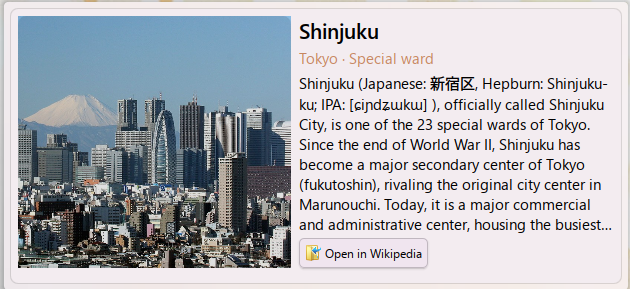
Works quite well!
I even asked it to make curated lists, so there's one for the West of Tokyo (I lived in Suginami-ku, so I miss that part in particular)
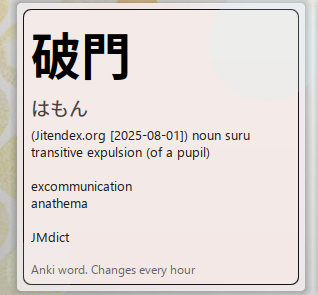
Every day (well, every hour) it picks a random word from my Anki deck and shows it to me.
No Anki? No problem!
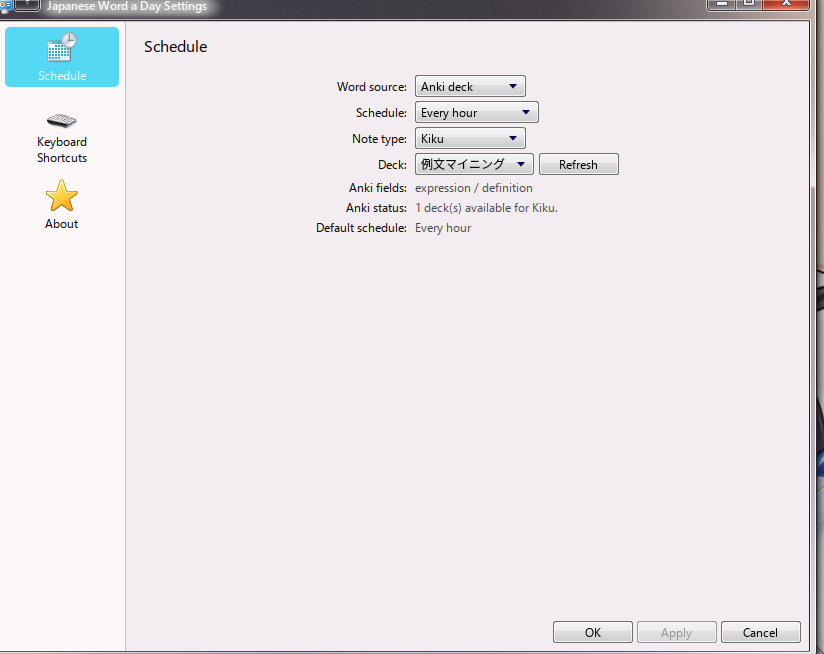
We can change it to Local only and see a local word list of curated, fun words :)
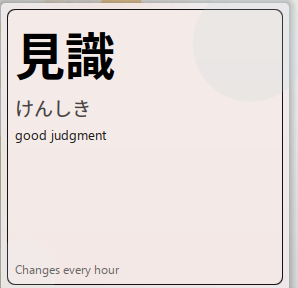
This is prettier than my Anki cards anyway, which are.... full of HTML and ugly...

I built this from a GitHub repo called Moe_Counter or something
It's just a clock, pretty cool!
Someone did this on Windows already so I just made it a KDE widget :)
I wanna see:
So I vibe coded this!

The moon is not visible in Tokyo rn
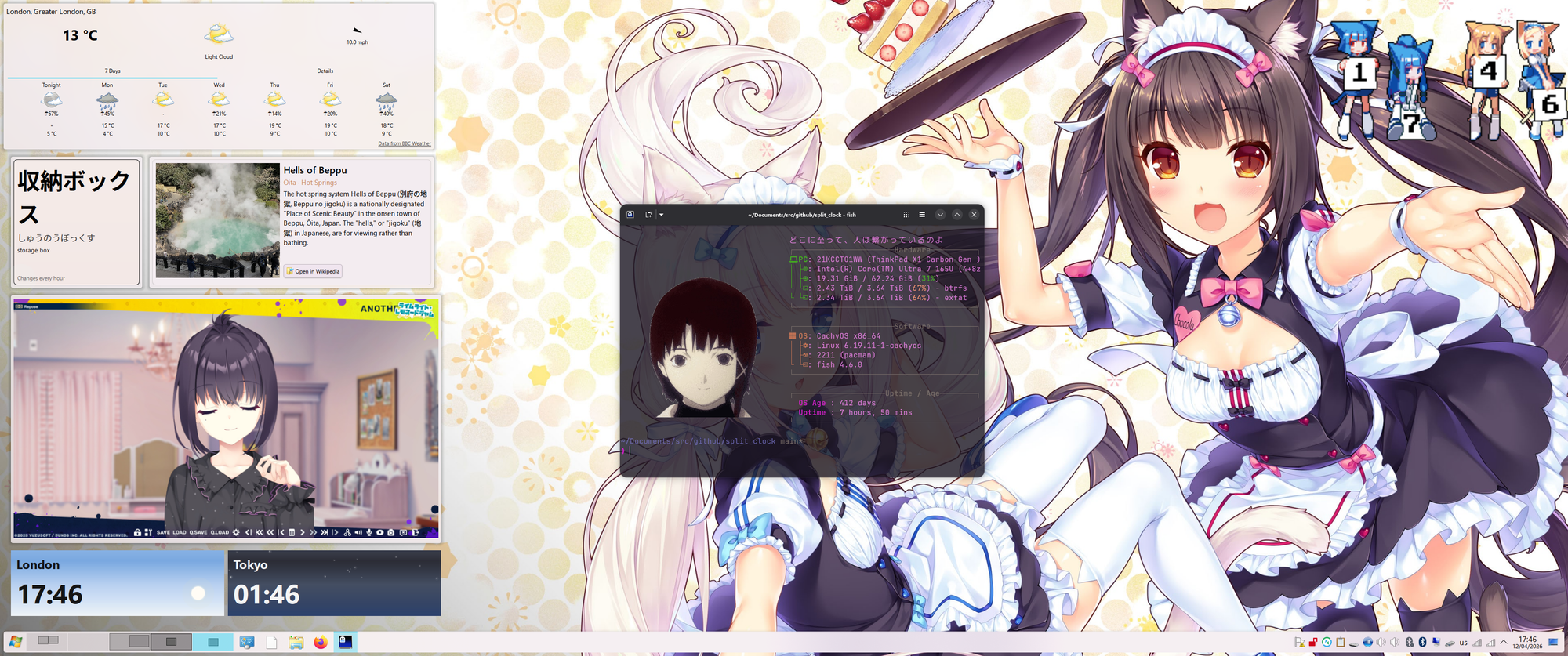
This is my current desktop!


