

2026-08-25 02:45:49
We’re proud and quite fond of the default hypertext-focused design language of Pika blogs, but sometimes an icon just feels right (and it may help your readers). Now you can opt to use an icon instead of text when adding an external link to your navigation:
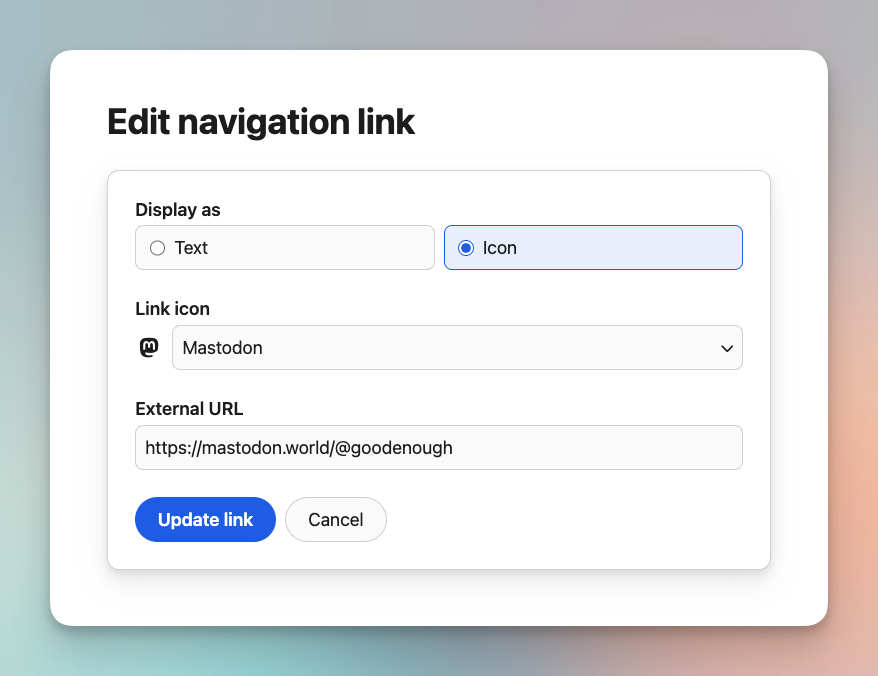
You can see what this looks like in the navigation of this very blog. 👆
The initial list of supported icons for this was built from the links Pika peeps are already linking to: social media like Mastodon and Bluesky, portfolio websites for photography and video, and a select few others options that make sense.
Additionally, we’ve made the “Add link” option easier to find (it was a bit tucked away before) and you’ll also see a search icon if you add your Site Search page to your navigation.
2026-08-20 04:16:00
Hot on the heels of our site-wide Custom Code announcement, we’re excited to share that Pika now offers Pika Pro subscribers the ability to add custom code directly into your individual posts and pages.
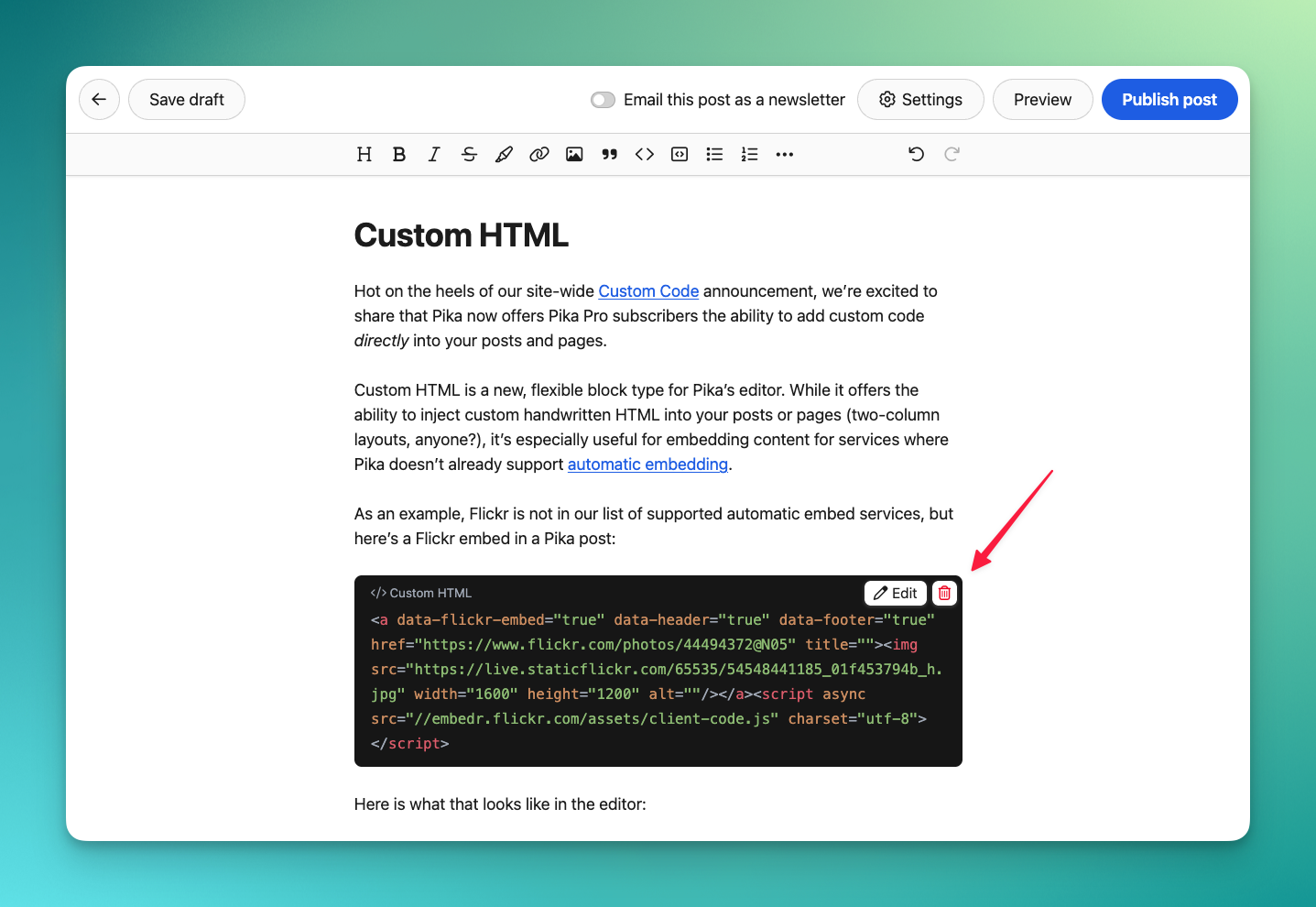
Custom HTML is a new, flexible block type for Pika’s editor (you can find it in the ••• “More” menu). It offers the ability to inject custom handwritten HTML blocks within the text of your posts and pages, but it’s especially useful for embedding content for services where Pika doesn’t already support automatic embedding.
As an example, Flickr is not in our list of supported automatic embed services, but here’s a Flickr embed in a Pika post:

Here is what that looks like in Pika’s editor:
Here’s another one, for fun:
We’re excited to see what embeds or hand-rolled HTML you’ll add to your Pika posts! Now on to some FAQs, which are almost identical to our Custom Code announcement…
How does my custom HTML code render in places other than my site?
The custom HTML code you add to your posts is also passed to your newsletter and RSS feeds, but those services may sanitize things like script, form, and even iframe tags. (In fact, if you’re reading this over email, you’ll probably notice some stuff missing above — that’s your email client!)
We also perform similar sanitization for those same tags on The Pika Pulse, where your post appears alongside other Pika peeps.
Why can’t I use this new editor option on the free Pika Pup plan?
The internet can be terrible. We do not want to offer the means for nefarious people to misuse the Pika platform. If you want to try out our custom code features by upgrading to the Pika Pro plan, rest assured we’re happy to provide a full refund if you decide Pika isn’t for you.
Also if your subscription lapses, the custom HTML you’ve already added keeps working, but you cannot add or edit a block until you subscribe again.
How do I avoid breaking my site with custom HTML code?
We can’t prevent custom code from breaking your site, so we recommend adding only one thing at a time. If the most recent custom code that you added breaks your site, go delete it. We recommended reading our Custom Code manual for a full disclaimer and some guidance to custom code in Pika.
2026-08-17 23:30:04
It’s August and summer is waning. Yet our commitment to constantly improving Pika is always on the rise! We’re betting you’ve noticed a lot of these changes as a few things in your dashboard have moved around. As always, there’s a mix of visible changes and quiet maintenance work that helps keep Pika simple, flexible, and pleasant to use.
Writing posts and pages:
Improved the experience of canceling with unsaved changes in the editor
Moved post/page Settings into a sidebar on desktop viewports
Rearranged the editor toolbar a bit (i.e. moved Undo/Redo to the right)
Added a “Clear formatting” option to the editor toolbar’s ••• More menu
Updated image toolbar buttons to match other Pika toolbar buttons
Updated our automatic embed support to include pasting in embed iframe code (for supported services)
Searching when creating a link now finds tag pages, and you can use prefixes like post: page: and tag: to narrow down your search
Made the Drafts list in the Dashboard collapsible
Viewing your site:
When possible the “Back to all posts” link will now bring your readers back to whichever list of posts they originally clicked into to get to your post (e.g. your homepage, a tag page, etc)
When using the default home page, adding your Blog page to your navigation will link to your home page, not /posts
Updated heading anchor link icons to hashtags (#)
Added a “Copy code to clipboard” option to all code blocks
Added 3 new Guestbook settings:
Choose whether a new signing defaults to drawing or message
Turn off emails for new signings
Temporarily pause all new guestbook signings
Added site-nav-link and site-nav-link--active classes to navigation items to enable more custom CSS styling
Added ISO YYYY-MM-DD as a date format option
Added leading zeroes to the date formats with date before the month
Misc & Maintenance:
Added 5 new font themes: Atkinson Hyperlegible, Courier, Inter, Lora, and Verdana (also Pika’s Dashboard font on Windows is now Inter)
Added 1 new color theme: Lavender
Updated the color theme picker to save vertical space
Added :hover styles to buttons around Pika
Improved Micropub handling of embeddable links
Fixed some bugs in how Pika saves your work in the browser when writing
Fixed a bug where self-hosted video/audio sometimes wasn’t playable
Fixed a bug when pasting direct audio/video file links
Created a write.as import script
Updated many code libraries for security enhancements
2026-07-16 21:48:00
Pika has offered the option for custom CSS since the beginning. Many of you who are a bit more technically inclined have been asking us to support custom scripts and other code on your site. If you’re a Pika Pro, we’re happy to announce that you can now add custom code via Settings > Code. (Note that you’ll now also find custom CSS under Settings > Code instead of Settings > Theme.)
What might you use this for? We’ve written up a couple of example scripts that you can add to your site here. (Yes, Claude helped a bit writing these.) Many customers have wanted to add third-party code like custom analytics, webrings, or extra tags to the <head> of their site. We caution you, though, to make sure you greatly trust any third-party whose code you are copying, and be especially careful when linking directly to third-party code.
On to some FAQs…
Why isn’t my post preview including my custom code?
While post previews include custom CSS, custom code added to the <head> or <body> will not be included. This is a security measure because blog post previews are served from the pika.page domain rather than your site’s domain. It would not be safe to let arbitrary JavaScript run on pika.page.
Is custom code just about running JavaScript on my site?
No! You can also add HTML to your <body>, and then manipulate it with JavaScript. Another example would be using a <link> tag in your <head> section to include a font instead of using @import in your custom CSS (more info here).
Why can’t I use these new custom code options on the free Pika Pup plan?
The internet can be terrible. We do not want to offer the means for nefarious people to misuse the Pika platform. If you want to try out these custom code features by upgrading to the Pika Pro plan, rest assured we’re happy to provide a full refund if you decide Pika isn’t for you.
How do I avoid breaking my site with custom code?
We can’t prevent custom code from breaking your site, so we recommend adding only one thing at a time. If the most recent custom code that you added breaks your site, go delete it.

2026-07-09 01:46:00
Tables are finally available in Pika! Yes, tables.
Sometimes information is best conveyed by a good ol’ fashioned table. For example, here are the top names in Nationwide’s nationwide Wackiest Pet Name voting campaign:
🏅 |
Pet Name |
Pet Type |
Hometown |
|---|---|---|---|
Top Dog |
“Internet Browser” |
Plott Hound |
San Antonio, Texas |
Top Cat |
“Cheddar Big Booty Cheeseburger” |
Domestic Longhair |
Benton, Arkansas |
Top Exotic |
“Space Cowboy” |
Bearded Dragon |
Fuquay-Varina, North Carolina |
You might notice this table is wider than the rest of this post. Depending on the content and number of columns, some tables need a bit extra breathing room, so we built that in as an option.
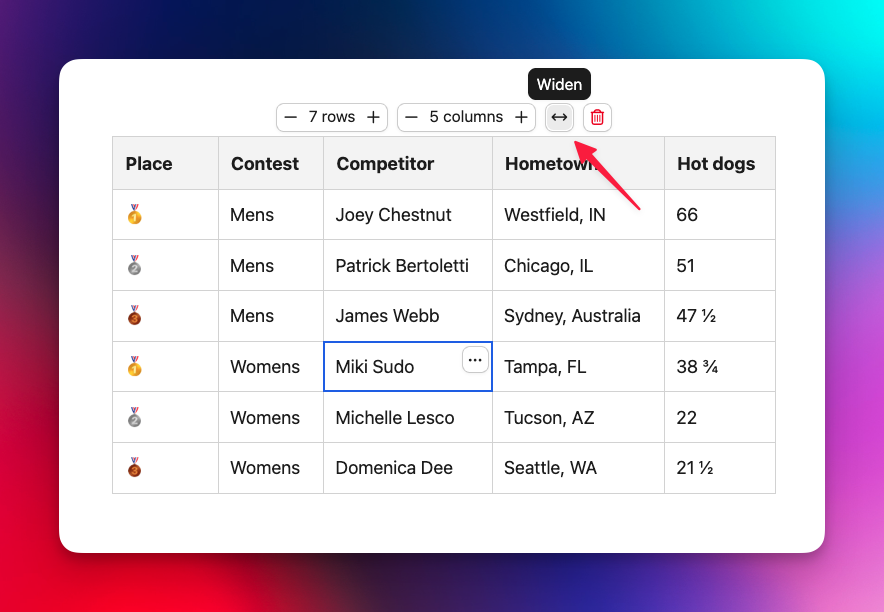
You can find the “Table” option in the editor’s ••• toolbar menu. Copy→pasting a table should work well too. We’re looking forward to all the fun data and information we’ll get to see in The Pika Pulse!
2026-06-25 00:06:00
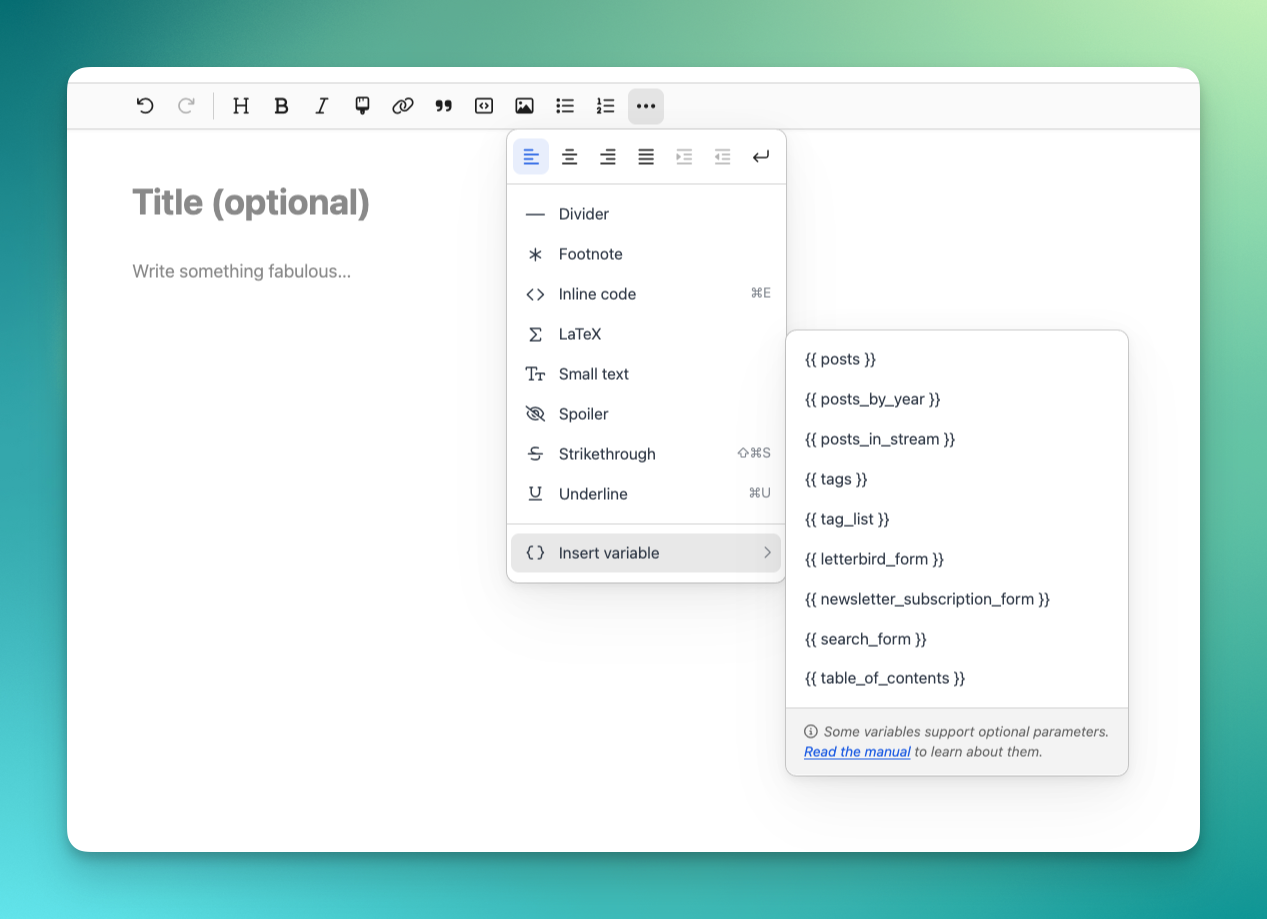
Pika offers a variety of special Pika Variables you can insert into your posts and pages that help you do things like output a list of your posts, create a table of contents, add a newsletter, search, or contact form, and more. Many of them also support optional parameters, which make them even more powerful.
While they’re a bit of an advanced feature, that’s no reason to make them hard to discover. Starting today, you’ll find a new “Insert variable” option in the editor toolbar, under the ••• “More” menu: