


2026-04-21 05:45:00
I’m happy to see the rumors were true that John Ternus will succeed Tim Cook as Apple’s CEO in September:
Apple announced that Tim Cook will become executive chairman of Apple’s board of directors and John Ternus, senior vice president of Hardware Engineering, will become Apple’s next chief executive officer effective on September 1, 2026. The transition, which was approved unanimously by the Board of Directors, follows a thoughtful, long-term succession planning process.
While no one can know right now how his leadership will differ from Cook’s, Ternus appears to be a worthy candidate: product-focused, likable, with a proven track record:
Ternus’s work on Mac has helped the category become more powerful and more popular globally than at any time in its 40-year history. That includes the recent introduction of MacBook Neo, an all-new laptop that makes the Mac experience even more accessible to more people around the world. This past fall, his team’s efforts were on full display with the introduction of a redefined iPhone lineup, including the incredibly powerful iPhone 17 Pro and Pro Max, the radically thin and durable iPhone Air, and the iPhone 17, which has been an incredible upgrade for users. Under his leadership, his team also drove advancements in AirPods to make them the world’s best in-ear headphones, with unprecedented active noise cancellation, as well as the capability to become an all-in-one hearing health system that can serve as over-the-counter hearing aids.
His personal quote in the press release is charming:
“I am profoundly grateful for this opportunity to carry Apple’s mission forward,” said Ternus. “Having spent almost my entire career at Apple, I have been lucky to have worked under Steve Jobs and to have had Tim Cook as my mentor. It has been a privilege to help shape the products and experiences that have changed so much of how we interact with the world and with one another. I am filled with optimism about what we can achieve in the years to come, and I am so happy to know that the most talented people on earth are here at Apple, determined to be part of something bigger than any one of us. I am humbled to step into this role, and I promise to lead with the values and vision that have come to define this special place for half a century.”
I’m on the record as being disappointed in Cook’s leadership of late, but he’s had a 15-year tenure — longer than any previous Apple CEO — with many ups and downs. His personal letter to the community (archived) is humanizing. I’m glad he wrote it:
This is not goodbye. But at this moment of transition, I wanted to take the opportunity to say thank you. Not on behalf of the company, this time, though there is a wellspring of gratitude for you that overflows inside our walls. But simply on behalf of me. Tim. A person who grew up in a rural place in a different time and, for these magical moments, got to be the CEO of the greatest company in the world. Thank you for the confidence and kindness you’ve shown me. Thank you for saying hi to me on the street and in our stores. Thank you for cheering alongside me when we unveiled a new product or service. Thank you, most of all, for believing in me to lead the company that has always put you at the center of our work. Every day we get up and think about what we can do to make your life a little bit better. And every day, you’ve made mine the best I could have asked for.
And let’s not forget Johny Srouji, who I would presume was on the short list of candidates for CEO, but has ended up as Chief Hardware Officer — a brand-new role made just for him:
Apple today announced that, effective immediately, Apple executive Johny Srouji will become chief hardware officer. Srouji, who most recently served as senior vice president of Hardware Technologies, will assume an expanded role leading Hardware Engineering, which John Ternus most recently oversaw, as well as the hardware technologies organization.
I have been sitting on this title for years.
gotta catch ’em all

RE: https://techhub.social/@Techmeme/116438959705663471
…and now his watch has ended.
Apple announces that John Ternus, senior VP of Hardware Engineering, will become Apple’s next CEO on September 1; Tim Cook will become executive chairman (Business Wire)
https://www.businesswire.com/news/home/20260420318241/en/
https://www.techmeme.com/260420/p24#a260420p24
Beginning in September, Apple will have had two CEOs named John, still behind the three going by Michael or Mike.
Tim Cooked.
We need fewer “Cooked” puns and more “I’ll Ternus car right around” puns.
Mom says it’s my Ternus the CEO https://www.apple.com/newsroom/2026/04/tim-cook-to-become-apple-executive-chairman-john-ternus-to-become-apple-ceo/
Assistant TO the regional CEO.
HeyDingus is a blog by Jarrod Blundy about technology, the great outdoors, and other musings. If you like what you see — the blog posts, shortcuts, wallpapers, scripts, or anything — please consider leaving a tip, checking out my store, or just sharing my work. Your support is much appreciated!
I’m always happy to hear from you on social, or by good ol' email.

2026-04-20 04:26:00
A weekly list of interesting things I found on the internet, posted on Sundays. Sometimes themed, often not.
1️⃣ I think you’ll like this picture of the world’s biggest and smallest Macs (an an original Macintosh) that Scott Knaster shared. [🔗 scottknaster.substack.com]
2️⃣ Robert Birming made a really cool calendar view for his Bear blog, so you can browse posts month-by-month. [🔗 robertbirming.com]
3️⃣ So, uh, someone made a compass that points to the Olive Garden in Times Square. And that’s all it does. And I don’t hate it. [🔗 theverge.com]
4️⃣ The Am Dash is a new punctuation mark introduced in two typefaces and is designed to signal that some text was written by a human — not em dash-happy AI. [🔗 theamdash.com]
5️⃣ Lynn Fisher has a handy mnemonic for remembering Markdown’s link and image syntax. [🔗 lynnandtonic.com]
6️⃣ This 14-year-old won a research prize for his origami prowess, which he thinks — based on the incredible strength-to-weight ratio of the Miura-ori fold — could be used for disaster relief. Incredible stuff. (Via The Good News Podcast) [🔗 businessinsider.com]
7️⃣ Louie Mantia makes an impassioned argument for processed American cheese — certainly the first I’ve heard in favor of it. It’s a convincing one, too. [🔗 burgerdigest.com]
Thanks for reading 7 Things. If you enjoyed these links or have something neat to share, please let me know. And remember that you can get more links to internet nuggets that I’m finding every day by following me @jarrod on the social web.
HeyDingus is a blog by Jarrod Blundy about technology, the great outdoors, and other musings. If you like what you see — the blog posts, shortcuts, wallpapers, scripts, or anything — please consider leaving a tip, checking out my store, or just sharing my work. Your support is much appreciated!
I’m always happy to hear from you on social, or by good ol' email.

2026-04-08 13:01:00
I love hearing about someone’s thoroughly considered argument for something that I’ve never given much thought to. It’s like pulling aside a curtain to discover there’s been a window with a gorgeous view behind it the whole time.
Take, for instance, the order in which a burger’s ingredients should be stacked. I probably could have improvised my preferred order with a few minutes of thought. But now I don’t have to because Louie Mantia’s already figured it out:
To me, an ideal cheeseburger has the following:
- Fluffy, toasted bun
- Grilled onion
- Processed cheese
- Thin patty
- Crisp lettuce
- Juicy tomatoes
- Cucumber pickles
- Tangy, mayo-based sauce
The order of ingredients is important. It’s not critical, but I think this order makes a lot of sense. The sauce and veg are the cool ingredients. Your tongue should hit those first so you enjoy how fresh and crisp they are and to save you from the hot patty and melted cheese.
The melted cheese sticks to the top bun. The sauce coats the bottom bun and dresses the “salad” part of the sandwich when you bite. If the cool ingredients are on the top, above the cheese, the watery vegetables sweat. The hot-cool barrier created between the patty and lettuce is the key to prevent that. The cool, raw vegetables don’t benefit being adjacent to the hot, melted cheese.
First, an excellent rating system, and now this well-reasoned defense? I think I’m going to enjoy this blog. 🍔
HeyDingus is a blog by Jarrod Blundy about technology, the great outdoors, and other musings. If you like what you see — the blog posts, shortcuts, wallpapers, scripts, or anything — please consider leaving a tip, checking out my store, or just sharing my work. Your support is much appreciated!
I’m always happy to hear from you on social, or by good ol' email.

2026-04-06 20:35:00
David Sparks blogs that companies whose leaders actually give a damn about the products are the ones worth watching:
You could argue that’s unhealthy. Maybe it is. But there’s something about a CEO who feels physical pain when the product falls short. That energy flows downhill. When the person at the top cares that much, everyone else figures out pretty quickly that they’d better care too. […]
You can spot it pretty easily. When a CEO talks about their company, do they talk about the product or the business? Walt talked about the park. Steve talked about the iPhone. Jensen talks about the chip. The ones who love the product can’t help themselves. The ones who don’t talk about market share and strategic initiatives.
Sparks’ sentiment pairs well with Marco Arment’s letter to presumed future Apple CEO John Ternus:
Apple doesn’t settle for fine, functional, or good enough in its hardware (and thanks for your incredible work on that). We love making and using products that aren’t just great, but greater than they need to be, always raising the bar of greatness for its own sake. Software, services, revenue sources, and world impact need to be held to that same standard.
Focus on making great computers with great user experiences above all else, and you can trust that every other major goal will follow: profit, market share, expansion, impact, and benefit to the world.
We have high expectations for Ternus. I hope he can live up to them.
HeyDingus is a blog by Jarrod Blundy about technology, the great outdoors, and other musings. If you like what you see — the blog posts, shortcuts, wallpapers, scripts, or anything — please consider leaving a tip, checking out my store, or just sharing my work. Your support is much appreciated!
I’m always happy to hear from you on social, or by good ol' email.

2026-04-06 09:37:00
A weekly list of interesting things I found on the internet, posted on Sundays. Sometimes themed, often not.
1️⃣ “Badlands” by Mumford & Sons & Gracie Abrams
2️⃣ “Easier Gone” by Jason Aldean & Brittany Aldean
3️⃣ “Grace Kelly” by Piper.Ally
4️⃣ “Forever Start (Stripped)” by Ryan Nealon & Jillian Rossi
5️⃣ “FTS” by The Summer Set & Travie McCoy
6️⃣ “Opalite” by Taylor Swift
7️⃣ “Angels Like You” by Miley Cyrus
Thanks for reading 7 Things. If you enjoyed these links or have something neat to share, please let me know. And remember that you can get more links to internet nuggets that I’m finding every day by following me @jarrod on the social web.
HeyDingus is a blog by Jarrod Blundy about technology, the great outdoors, and other musings. If you like what you see — the blog posts, shortcuts, wallpapers, scripts, or anything — please consider leaving a tip, checking out my store, or just sharing my work. Your support is much appreciated!
I’m always happy to hear from you on social, or by good ol' email.

2026-04-02 11:08:00
A lot has been said about Apple’s 50th anniversary. Stories shared. Favorites ranked. Contributions celebrated. But it turns out that I also have feelings to share. 
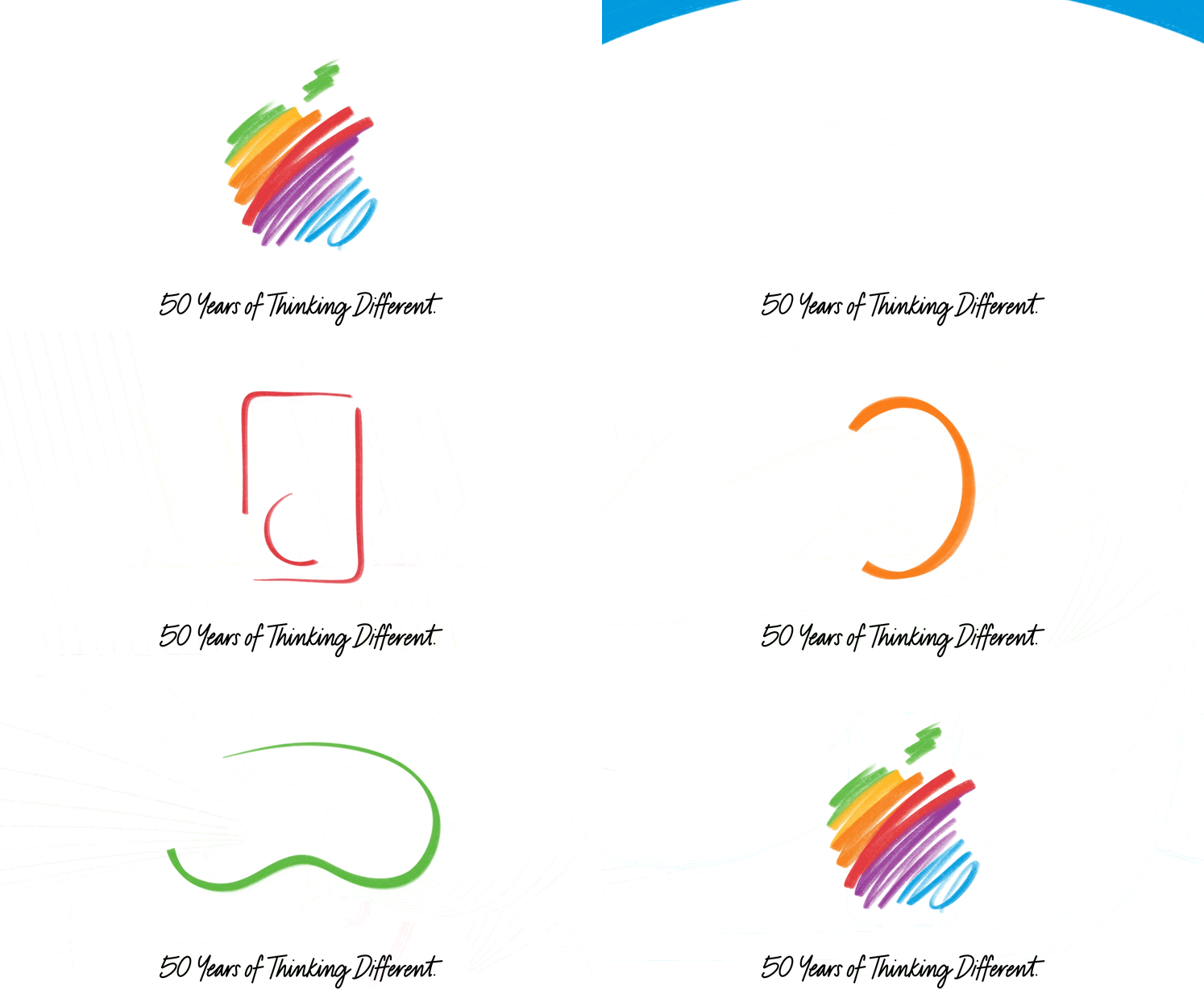
As I reflect on why we even care that a computer company has been around for five decades, I keep coming back to the fabled challenge that Steve Jobs gave to John Sculley as he tried to woo him into becoming Apple’s CEO:
Do you want to sell sugar water for the rest of your life, or do you want to come with me and change the world?
Somehow — I sure couldn’t have — Sculley turned him down, at least at first. But eventually he, and thousands of other people — developers, engineers, marketers, retail staff, artists — answered that call to put a dent in the universe.
Through their contributions as employees, app developers, evangelists, and executives, they’ve made some wonderful things. Products that have changed the world. That help us connect and build, that democratize access to information and to privacy, that entertain and watch out for us.
Apple’s not a perfect company. I’ve been less enthused by some of its actions and inactions in its latest years. I hope they do better. But as a whole, I still find myself inspired by the products they make.
No, actually, that’s not quite right. I’m not inspired by the products. I’m inspired by the attention to detail, the exquisite taste, the enormous effort, and the giving a damn by the people who make them.
Sure, they just make computers. Hardware, software, and services melded together into computers of different shapes and sizes. But what attracts me to Apple’s computers is that they — unlike the computers from nearly every other company in the market — carry with them the spirit, or DNA as Jobs would say, of the people that built them.
From the iPod nano, to the iMac and macOS, to the iPhone, the iPad, the Apple Watch and AirPods, and, yes, the Vision Pro. There’s something about each of these products that ignited curiosity in me. What could I do with them? I sit here, typing these words on a MacBook in my car while traveling across a lake on a ferry, connected to the internet through Wi-Fi (which Apple helped birth) tethered to my iPad. I’ll publish it to the World Wide Web (invented on Jobs’ NeXTSTEP, which would serve as the foundation for Mac OS X) on a website themed and named to pay tribute to Apple.
I spent my youth expanding my taste with an iPod and iTunes. I took notes and studied in college with an iPad. I launched my business and keep it running with a Mac. I track my runs and pay for almost everything using my Apple Watch. My favorite TV shows are the ones that Apple produces. If Apple made shitty things, I would look elsewhere. But, so far, they keep making wonderful things.
It’s been fun to look back at how far Apple has come — from two guys selling 50 computers to their local Byte Shop, to one of the largest and most successful companies with billions of devices in use by people across the globe. But now I’m most excited to see what they’ll do in the next 50 years. 
I’ll update this post with quotes from other articles and retrospectives that showcase Apple’s dent in the universe. I hope you enjoy looking back as much as I have.
In weird coincidences, my kid is almost exactly as old today as I was when Steve Jobs announced the Macintosh.
Marco Arment wrote a letter to presumed future Apple CEO John Ternus requesting a return to building (and celebrating) great computers, and trusting that success will follow:
Apple doesn’t settle for fine, functional, or good enough in its hardware (and thanks for your incredible work on that). We love making and using products that aren’t just great, but greater than they need to be, always raising the bar of greatness for its own sake. Software, services, revenue sources, and world impact need to be held to that same standard.
Matt Birchler blogged about his most memorable product announcements:
I also think about the events where Apple announced their transition from PowerPC to Intel, and then a decade and a half later, Intel to Apple silicon. I think these announcements are just quintessential Apple to me, because from the moment until those events happened, Apple would proudly state how fast and battery efficient their computers were,. Then at the announcement they’d say, “Oh my god, it’s been so bad, now we have a solution.” And for what it’s worth, in both cases it was exactly the right decision.
Stephen Hackett wrote a nice piece about how Apple’s modern tech would have astounded its early team, as well as some personal reflections on how Apple’s tools have shaped his life:
Gone are the days of hand-building computers, replaced by one of the world’s most intricate supply chains. The A18 Pro just beneath the keyboard of the MacBook Neo I am typing on would astound the men and women who worked on the original Macintosh. If the dreamers who designed the Newton were handed an iPhone Air, their heads would explode. Showing someone in the garage a photo of Apple Park would have brought work to a halt for the day. […]
I don’t know what the next half-century looks like, but I’m betting Apple remains a constant — delivering the tools I use to create and cultivating the joy that comes with using a well-made product.
Myke Hurley reflected on the longevity of his enthusiasm for Apple stuff, and how it’s guided his career:
I launched my business on a Mac. For many years, I ran it using my iPad Pro, and all the while I’ve used my iPhone for everything in between. But for me, it’s not just about using these products — my business has also depended on Apple making them. What I create is about them.
My interest in technology has always been broad, but what I’ve always cared about most is whatever Apple is making. It’s been that way since I was 18 years old and got my first Apple product — the iPod mini — and it remains that way to this day.
Parker Ortolani has been an Apple fan for as long as he can remember, and is thankful to the people who built the company into what it is today:
I first experienced the magic of Apple when my dad showed me Photoshop on his PowerBook G3 Pismo as a little kid. This seminal moment birthed not just my love for Apple, but my fascination with technology, design and creativity. I’d see multi-colored iMacs in his office, at my cousins’ homes, and there were iBooks galore. We’ve been a Mac family since before I was born. […]
So here’s to the crazy ones. Here’s to the Steves. Here’s to everyone who has contributed to the products that changed my life. Here’s to 50 more years of an idea that’s so much bigger than a computer company. Stay hungry. Stay foolish.
After sharing how the Apple Watch got him to focus on his fitness 10 years ago, Zac Hall closed his story with this thought about how Apple’s biggest contributions have been made in its later years:
As Apple turns 50 now, it’s also impressive to think about what difference the company still had to make at 40.
Jason Snell is well-suited to discuss how the company has evolved over the decades:
Since the release of the iPhone, Apple has been on a rocketship ride. The company Tim Cook took over just as Steve Jobs passed away was a fraction of the size of the Apple of today. Apple has more customers than ever, and the Mac–a 42-year-old product!–is the biggest it’s ever been.
David Sparks has his eyes set on the windshield, not the rear-view mirror:
The reason I became an Apple customer wasn’t nostalgia. It was the opposite. Apple’s thing has always been an unrelenting focus on what’s next. What’s the best product we can make right now? What problem can we solve tomorrow? That restlessness is what made them interesting and what kept me buying their stuff year after year.
A 50th birthday celebration is great. A 50th birthday year where every keynote opens with a sepia-toned montage? Less great. Apple is at its best when it’s building the future, not curating the past.
So happy birthday, Apple. Now get back to work.
Ryan D’Agostino marveled at Apple’s storied history in his profile of Tim Cook that also served as a place where he could expose on his personal history with the products:
It’s all incredible, as in too much to believe. The whole story. Steve Jobs and Steve Wozniak in the Jobs-family garage soldering circuit boards. That beige, heavy Apple IIe that seemed revolutionary, because it was. The Macintosh. The mouse. Apple’s near irrelevance in the early 1990s, after Jobs was voted out of his own company, and its resurgence after he came back in 1997. Ninety-nine-cent songs. “I’m a Mac.” “And I’m a PC.” Faster chips. Jobs’s death. Apple Watch, Siri, Apple Pay. Severance. Neo.
David Pierce recognized the unique and astounding run of products that Apple pumped out with Jobs’ help in the decade after his return:
There’s no question that Apple’s greatest successes came after the iPhone launch. But for pure pace and level of innovation, there’s simply no beating the decade after Jobs’ return to the company. The company that once couldn’t even manage to improve on the Apple II was now inventing product after product, forcing competitors to play catch-up, then reimagined these new classics all over again a few years or even months later, to somehow even bigger acclaim and bigger sales. We may live now in the world the iPhone made, but the iDecade was truly Peak Apple.
Jason Snell also wrote about Steve Wozniak and how his Apple II set company’s everlasting product strategy very early on (1977) by providing “the whole widget”:
Wozniak is now famous for being famous, the “other Steve” who makes public appearances, was on Dancing with the Stars, is frequently quoted about anything Apple related, and is just a friendly, adorable guy. But the Apple II really was a triumph of his engineering prowess. While other computers required you to type in commands to get them up and running, Wozniak made sure that the Apple II was functional the moment it was powered on, and capable of running BASIC programs right out of the box.
Joanna Stern makes sure we don’t forget how (internally and externally) influential the MacBook Air has been:
No, the MacBook Air may not have had the same cultural thunder as the iPod or iPhone, but its history is, in many ways, Apple’s history. The Air was never just a laptop. It was Apple’s favorite manila envelope magic trick: turning compromise into aspiration, then getting the rest of the industry to copy it. Again. And again. And again.
This visual history put together by The Verge was fun to browse browse. Lots of images to bring you back to specific times.
In another piece by Jason Snell, he ruminates on those years at Apple while Steve Jobs was in exhale, and how they weren’t as totally hapless as folks tend to think:
So on the occasion of Apple’s 50th anniversary, let’s not forget those weird years when Steve Jobs was off running a different computer company. They were years with some great innovations and successes, without which Apple probably wouldn’t have even made it to 1997. Even Apple’s greatest failure of the period — not properly building a replacement for Mac OS — ended up leading to the best acquisition Apple has ever made: buying NeXT (and bringing Jobs back as a part of the deal).
Author Antony Johnson remembers how a lonely Mac in his high school offered him a tool for creativity that (eventually) launched a career:
I was an OK office drone, but my creative bent was obvious to everyone. My free time back then was dominated by games, music, and art. So, encouraged by my boss to go back to school and do something creative, I flicked through the local art college brochure… and found a course called ‘graphic design’. It even mentioned using Macs. Suddenly, I was back in that annexed room, designing a school magazine, and I knew what I wanted to do.
Vidit Bhargava appreciates that, as an independent developer, he was the same opportunities provided by Apple as the bigger businesses:
I obviously owe a lot of my career success to Apple, and Apple’s products, one thing that’s always struck me is how there’s literally no difference in how my apps as an indie developer and those of industry stalwarts have been treated. […]
As an app maker, being put on the same pedestal as industry giants from day 1 is immensely empowering (and why would it be any other way!?).
Steven Aquino notes that making its products more accessible has been at Apple’s core for a very long time:
In my opinion, to cover Apple means covering Apple—and the company’s history is inextricably tied with the disability community and accessibility. Apple turned 50 today, but it was actually in 2025 the company marked its 40th anniversary of its accessibility initiatives. Ask any accessibility professional not inside Apple Park and most, if not all, will shout from the proverbial rooftops the company is the unquestioned leader in the industry when it comes to conceiving and shipping best-of-breed accessibility software for its panoply of platforms.
BasicAppleGuy has many fond memories of how Apple’s devices have supported and inspired his own dreams over the years:
But beyond any single product, one of the things I came to appreciate most about Apple over the years was the creative world that seemed to exist around its platforms. The apps made for the Mac were not only useful, they were beautiful too. There was a quiet care to the experience, a level of craftsmanship that seemed to extend into nearly every detail. And I think that rubs off on a person. Because when you are surrounded by beautiful, elegant, thoughtful designs, I like to think you get inspired and start to think about the things you create a little differently too.
HeyDingus is a blog by Jarrod Blundy about technology, the great outdoors, and other musings. If you like what you see — the blog posts, shortcuts, wallpapers, scripts, or anything — please consider leaving a tip, checking out my store, or just sharing my work. Your support is much appreciated!
I’m always happy to hear from you on social, or by good ol' email.


